

Remote Work
Best Portable Monitor for Remote Work Under $100 (2026)

Apr
Every remote worker and digital nomad eventually hits the same wall: one laptop screen isn’t enough. Spreadsheets crammed into a 13" display, Zoom on one half and Slack on the other, constant alt-tabbing. A second screen changes everything — but most portable monitors are either too bulky, too cheap, or too expensive.
In 2026, the budget portable monitor market has matured enough that you can get a genuinely capable second screen for under $150. The catch: sub-$100 options that actually hold up for remote work are rare — most sacrifice build quality, resolution, or stand stability. We reviewed the portable monitor lineup at The SUP Desk and found the best value pick for travelers, co-working regulars, and digital nomads who need a real second screen on the go.
Quick Comparison: Single Screen vs. Triple Screen
| Configuration | Price | Screens Added | Weight | Best For |
|---|---|---|---|---|
| Single Screen BEST VALUE | $149 | +1 screen | 1.3 lbs | Travel / Nomads |
| Triple Screen POWER USERS | $249 | +2 screens | ~2.8 lbs | Co-working / Hotels |
#1 — UPERFECT 14" Laptop Extender (Single Screen) — $149 BEST VALUE
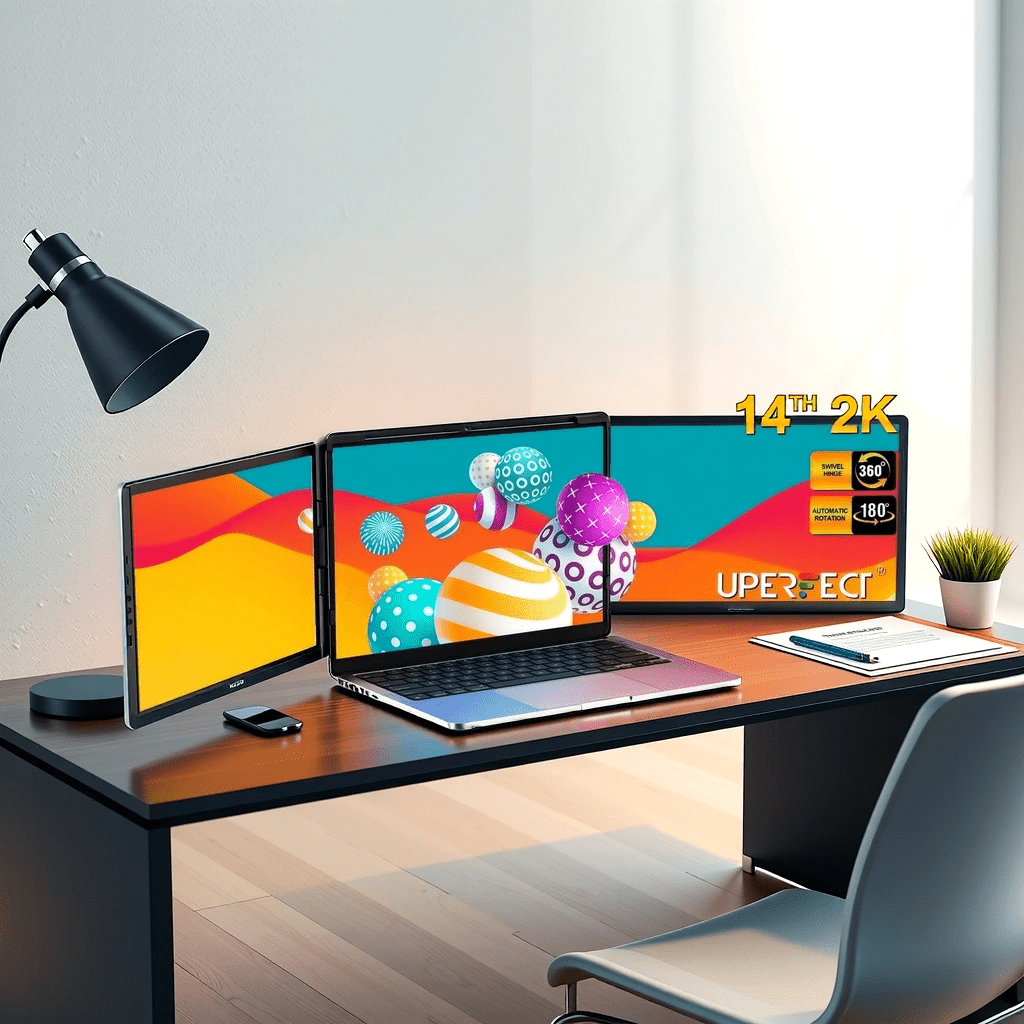
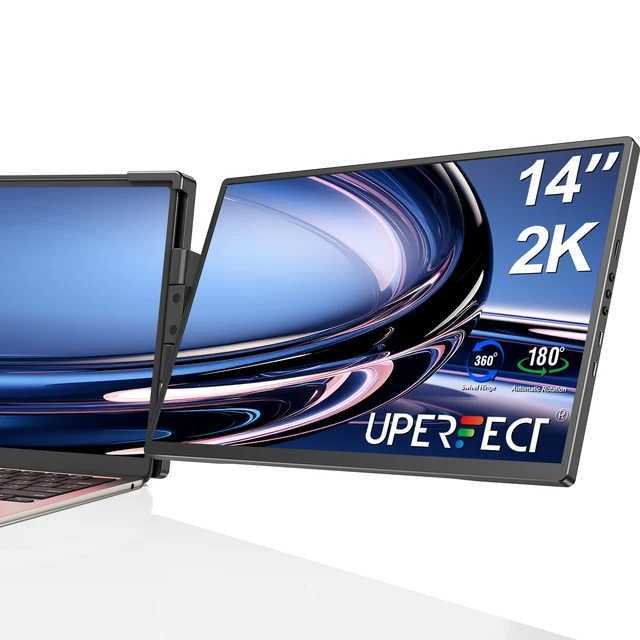
The UPERFECT 14" is the best portable monitor for remote workers who travel regularly. At 1.3 lbs, it slips into any laptop bag without adding noticeable bulk. Plug it in via USB-C or HDMI — no driver installation, no configuration, no headaches. The 1920×1080 Full HD panel gives you a real second workspace, not a cramped auxiliary display.
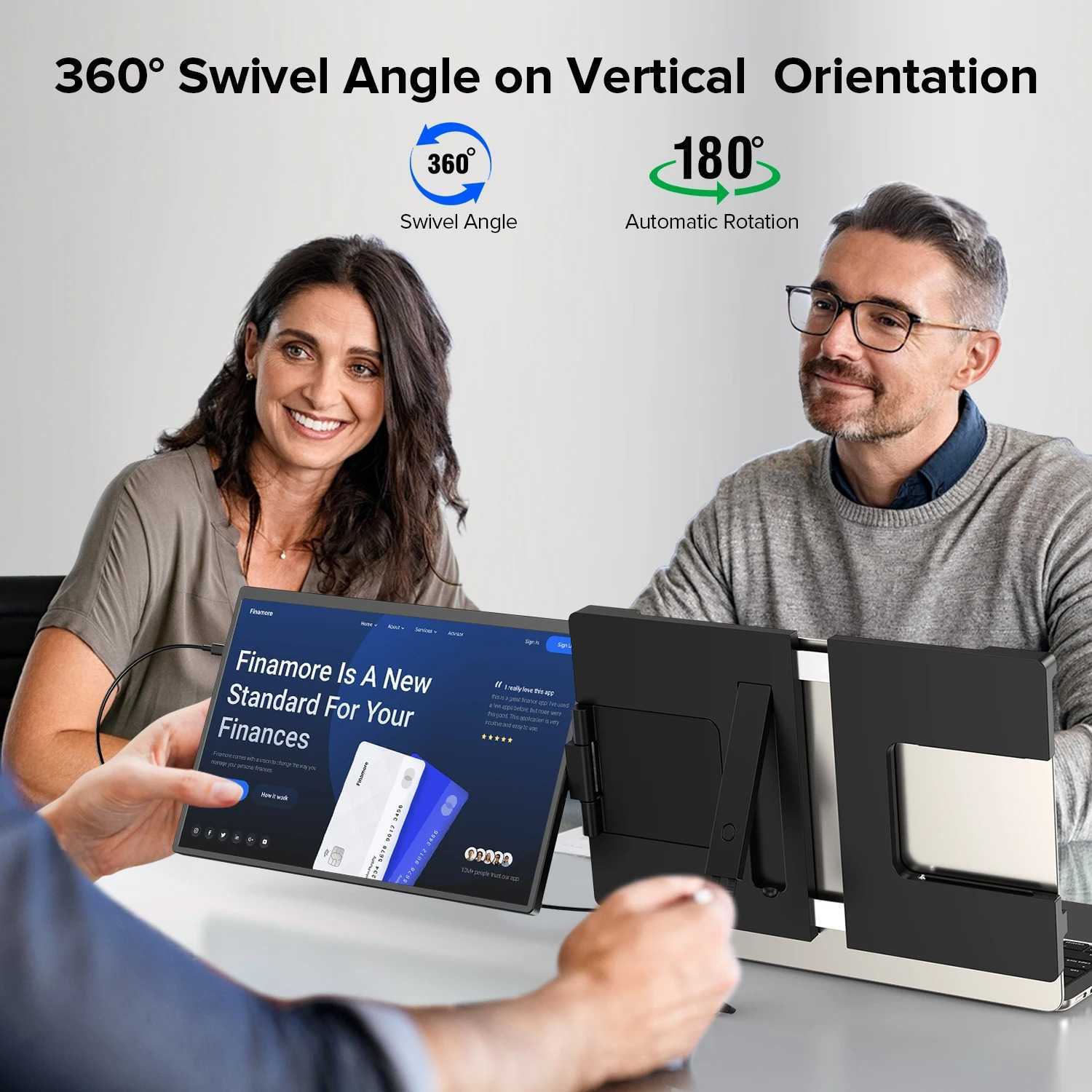
The 180° rotatable stand is the killer feature for travel. Set it up on café tables, hotel desks, or co-working spaces in under 30 seconds — and switch to portrait mode when you need a vertical layout for code, documents, or reading.
| Spec | Details |
|---|---|
| Price | $149.00 (single screen) |
| Screen Size | 14 inches |
| Resolution | 1920 × 1080 Full HD (1080P) |
| Weight | 1.3 lbs (ultra-light for 14") |
| Connectivity | USB-C + HDMI (plug-and-play, no drivers) |
| Compatibility | Windows, macOS, Android |
| Stand | Built-in, 180° rotation, portrait mode |
| Speakers | Dual built-in speakers |
| Plug Options | US, UK, EU, AU, JP |
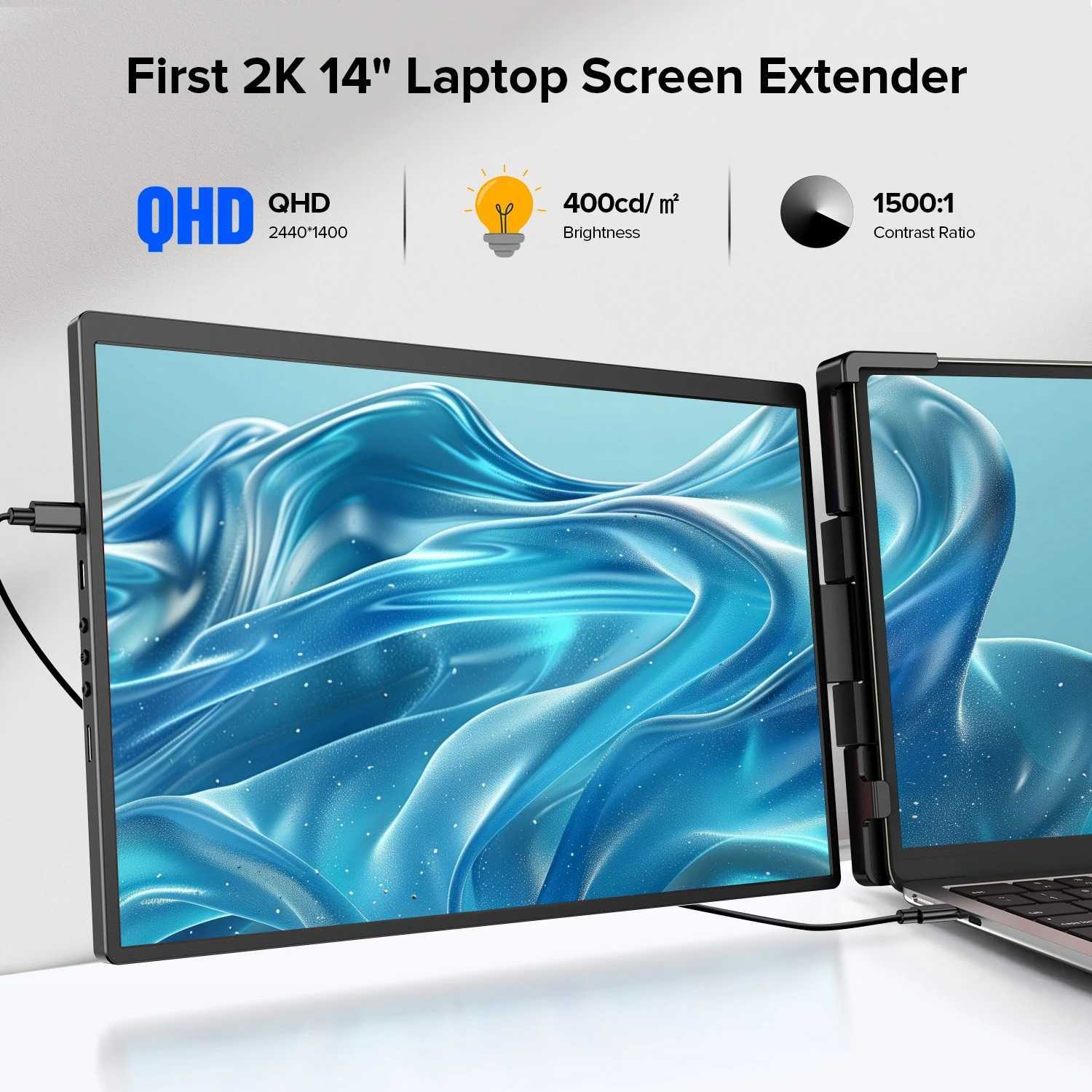
- True 1080P Full HD — sharp, readable text at 14"
- 1.3 lbs — barely noticeable in a laptop bag
- USB-C or HDMI — works with almost any laptop
- Plug-and-play — no drivers, just connect and work
- 180° rotation + portrait mode for flexible layouts
- Dual speakers built in — no extra accessories needed
- Works with Windows, Mac & Android devices
- $149 — slightly above true $100 budget
- Requires USB-C power delivery or HDMI + USB-A (two cables)
- No touchscreen
- Glossy panel shows reflections in bright outdoor settings
Best for: Remote workers, digital nomads, and frequent travelers who need a genuine second screen that fits in a backpack, sets up in seconds, and works reliably across Mac, Windows, and Android.
#2 — UPERFECT 14" Triple Screen — $249 BEST FOR POWER USERS
The triple-screen version takes the same UPERFECT panel and doubles it — you get two additional 14" FHD displays flanking your laptop. This is the setup for developers, stock traders, financial analysts, and anyone whose workflow spans multiple applications simultaneously. Hotel desk to boardroom, it turns any laptop into a three-screen workstation.
| Spec | Details |
|---|---|
| Price | $249.00 (triple screen) |
| Screens Added | 2 × 14" Full HD panels (left + right) |
| Resolution (each) | 1920 × 1080 Full HD |
| Total Workspace | 3 screens — laptop + 2 additional displays |
| Connectivity | USB-C + HDMI per screen |
| Best Use Case | Developers, analysts, traders, content creators |
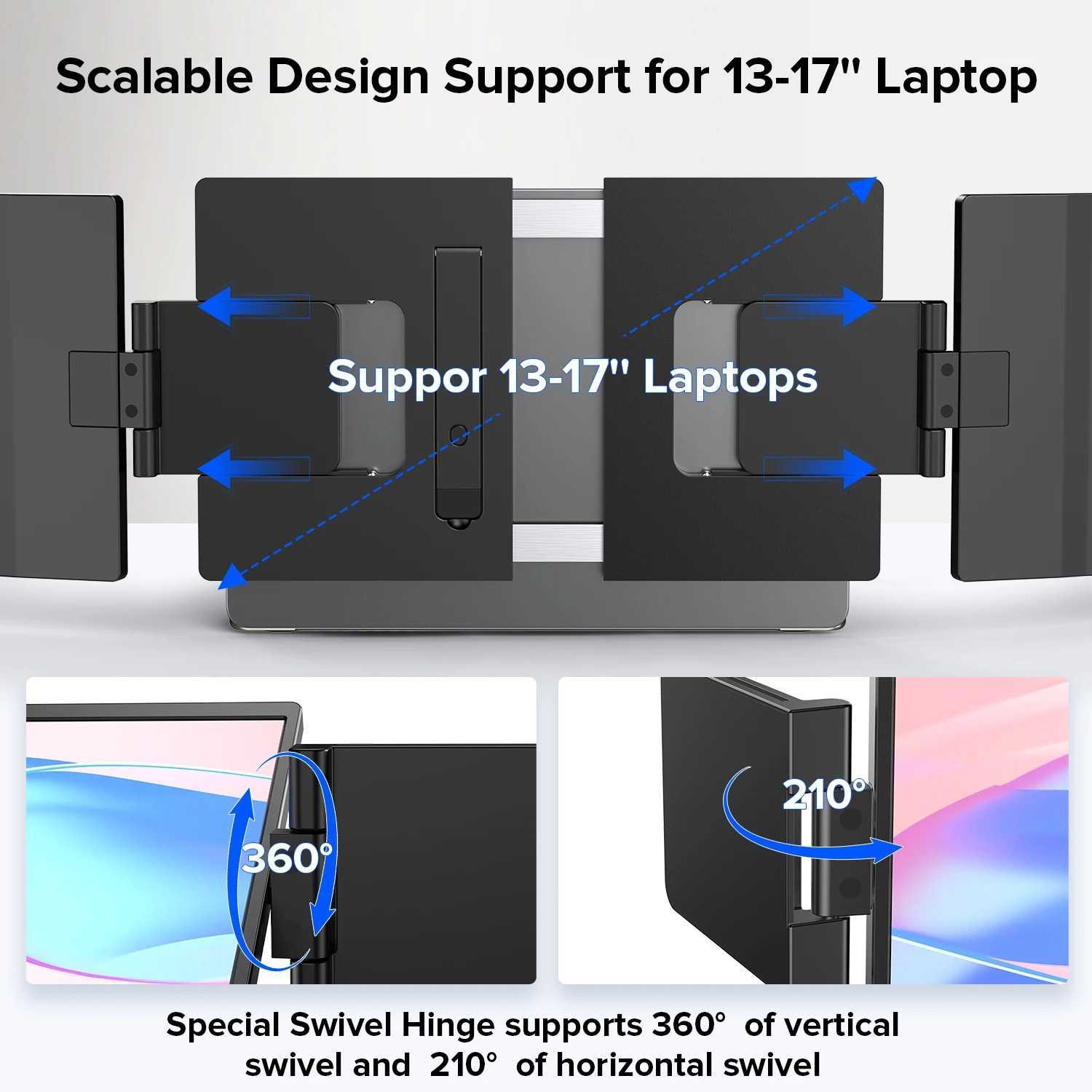
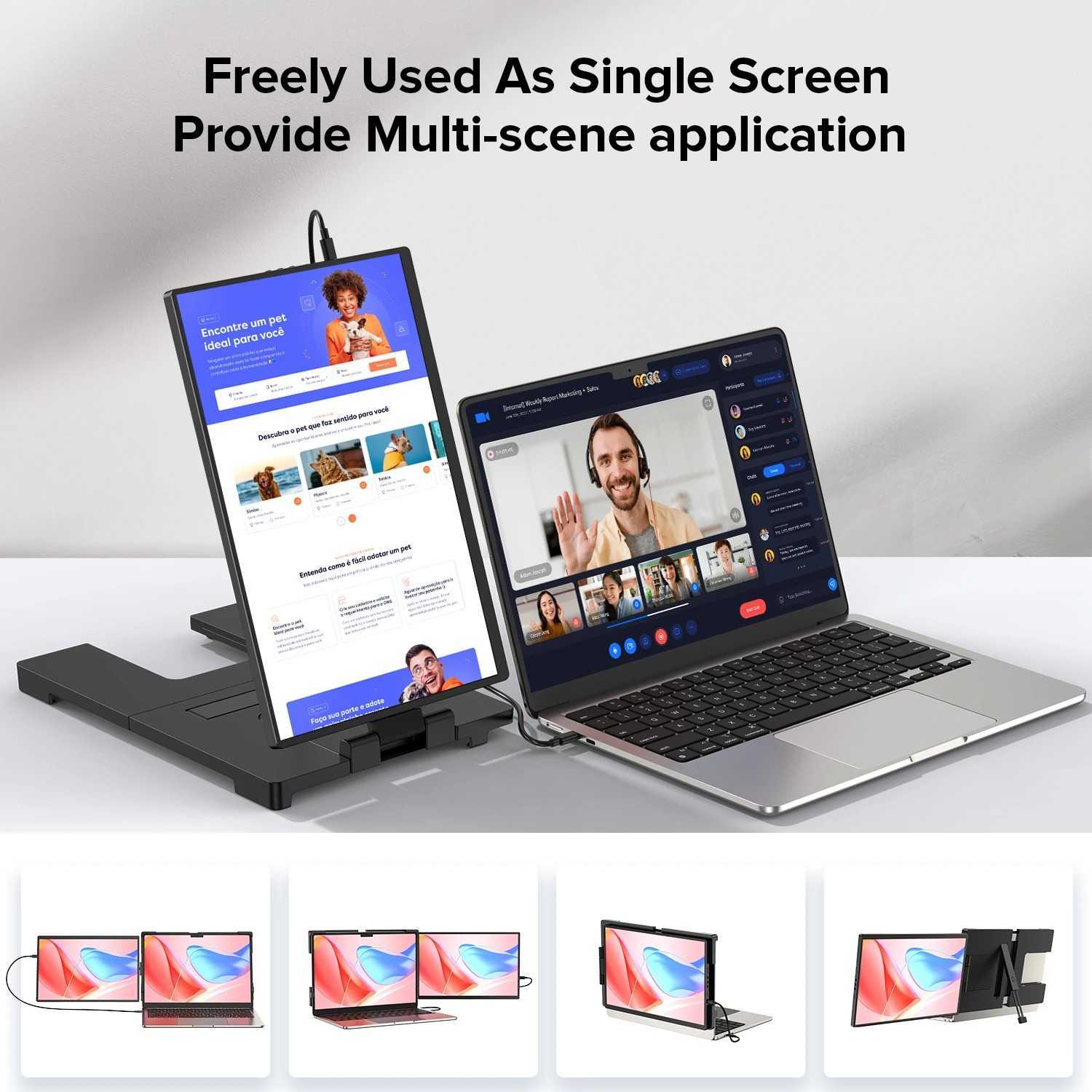
- Three-screen workstation from a single laptop
- Both panels are identical FHD quality
- Same plug-and-play simplicity as single version
- Folds flat for transport
- Dramatically increases productivity for multi-app workflows
- $249 — a real investment for budget shoppers
- Heavier and wider — needs a larger desk surface
- Requires adequate laptop GPU support for 3 displays
Best for: Power users who work from hotels, co-working spaces, or client sites and need a full three-screen setup without shipping a desktop setup. Developers, analysts, and content creators who can’t work efficiently on a single screen.
Bonus Accessory — Foldable Laptop Stand — $27.99 BUDGET COMPANION
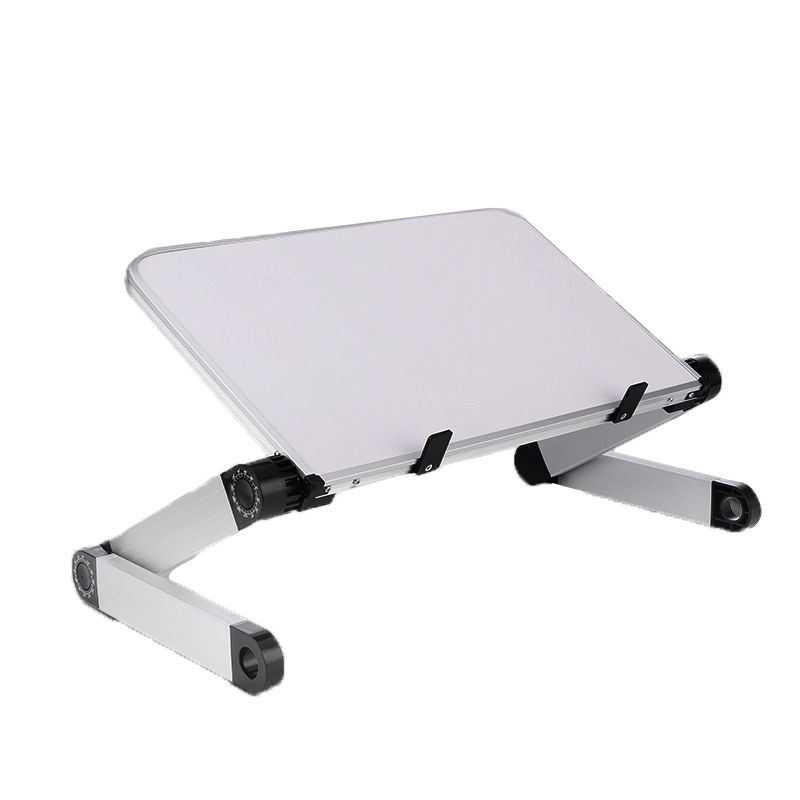
If your budget truly won’t stretch to a portable monitor, or if you’re not ready to commit, a foldable laptop stand is the best $27.99 you can spend. It raises your laptop screen to eye level (eliminating neck strain), creates space underneath for a keyboard, and immediately makes any desk setup more ergonomic. Pair it with an external keyboard and the gap between “one screen” and “two screens” narrows significantly.
| Spec | Details |
|---|---|
| Price | $27.99 |
| Design | Foldable, ergonomic tablet/laptop holder |
| Benefit | Raises screen to eye level, reduces neck strain |
| Compatibility | Most laptops and tablets |
Best for: Remote workers building a complete ergonomic setup. Stack the laptop stand with the UPERFECT portable monitor for a travel workstation that rivals a fixed desk.
Portable Monitor Buyer’s Guide: What Actually Matters
1. Screen Size: 14" Is the Sweet Spot for Travel
Portable monitors range from 10" to 17.3". For remote work on the go, 14 inches balances usable screen real estate with actual portability. Smaller panels (10–12") are too cramped for productivity apps. Larger panels (15.6–17.3") are heavy enough that you’ll leave them behind. The UPERFECT at 14" hits the right balance: enough room for a document, code editor, or Slack window, without adding meaningful weight to your bag.
2. Resolution: 1080P Is the Minimum Worth Buying
Don’t accept anything under 1920×1080 for a portable monitor you’ll actually use for work. Below 1080P, text appears soft and images look pixelated — especially noticeable on a 14" screen at normal viewing distance. The UPERFECT runs native 1080P, which means sharp text in documents, spreadsheets, and code editors.
3. Connectivity: USB-C Is Essential
Modern laptops — including all current MacBooks and most Windows ultrabooks — connect to displays via USB-C. A portable monitor without USB-C support requires an adapter chain that adds weight, cost, and failure points. The UPERFECT supports both USB-C (single cable for power + video) and HDMI (for older laptops). That dual compatibility is important: it means the monitor works with your current laptop and any laptop you buy in the future.
4. Weight: Under 1.5 lbs for Carry-On Use
Portable monitors marketed as “portable” vary wildly in actual weight. A 15.6" monitor at 2.5 lbs might technically fit in a bag, but you’ll feel it on a long travel day. For daily carry, under 1.5 lbs is the target. The UPERFECT at 1.3 lbs is in the comfortable range — you won’t notice it in your backpack alongside a laptop and cables.
5. Built-In Stand: Non-Negotiable for Travel
Some portable monitors require a separate stand or kickstand — an extra thing to carry and lose. A built-in adjustable stand is essential for travel use. The UPERFECT’s 180° rotating stand means you can set the viewing angle from flat to nearly vertical, and switch between landscape and portrait orientation without any extra hardware. That matters when you’re working on surfaces that aren’t perfectly flat (café tables, airplane tray tables).
Which Configuration Is Right for You?
Get the Single Screen ($149). One screen added, 1.3 lbs, plugs in anywhere. The sweet spot for travel.
The Triple Screen ($249) turns any hotel desk into a three-monitor workstation. Worth it if you bill hourly.
Start with the Foldable Stand ($27.99). Better ergonomics immediately, then save up for the monitor.
The Single Screen ($149) sets up in 30 seconds at any co-working desk. No cables to mess with, no adapters.
FAQ: Portable Monitors for Remote Work
Do portable monitors work with MacBooks?
Yes — the UPERFECT 14" supports macOS via USB-C (USB-C alt mode) or HDMI. On M1/M2/M3 MacBooks, connect via USB-C for a single-cable setup. On older MacBooks with USB-A ports, use the included HDMI cable. macOS automatically detects and extends your desktop with no configuration required.
Will a portable monitor drain my laptop battery faster?
Yes, but moderately. A 14" FHD portable monitor draws roughly 7–10W. On a laptop with a 50Wh battery (typical for a 13–14" ultrabook), that reduces battery life by roughly 15–25%. For all-day use away from a power outlet, consider a USB-C PD power bank — many portable monitors support pass-through charging, so a single power bank can charge both the monitor and your laptop simultaneously.
What’s the difference between a portable monitor and a laptop extender?
They’re the same category — different marketing terms. “Portable monitor” emphasizes standalone use; “laptop extender” emphasizes the attachment and workflow integration. The UPERFECT 14" works both ways: propped up next to your laptop, or physically attached to the back of your laptop lid via magnetic cases (sold separately).
Can I use a portable monitor with my phone or tablet?
If your phone or tablet supports USB-C with DisplayPort alt mode or HDMI out (e.g., Samsung DeX, iPad Pro with USB-C, or Surface tablets), the UPERFECT will work as an external display. Android devices running Samsung DeX can turn this into a full desktop experience.
Is $149 really “budget” for a portable monitor?
For a 14" FHD monitor with USB-C, built-in stand, portrait mode, and dual speakers — yes. Sub-$100 portable monitors exist but tend to sacrifice one or more of: resolution (720P), connectivity (HDMI only), stand quality (flimsy kickstand), or build (flex and creaking panels). The $149 price point is where portable monitors become genuinely reliable for daily remote work. Think of it as the floor for professional use, not the ceiling.
Build Your Complete Remote Work Setup
A portable monitor is one piece of the picture. Round out your remote work setup with these guides:
- Ultimate Remote Work Desk Setup Guide 2026 — full breakdown of ergonomic workstation essentials
- 5 Must-Have Remote Work Gadgets That Pay for Themselves — ROI-focused gear picks for remote workers
- Best Desk Accessories for Productivity Under $50 (2026) — affordable accessories to complete your setup
Ready to Add a Second Screen?
The UPERFECT 14" ships from The SUP Desk. Pick the configuration that fits your workflow — solo traveler or power-user triple setup.
Free shipping available. In stock now.