

Buying Guides
Affordable Home Office Chair Under $150 (No Back Pain) 2026
Apr
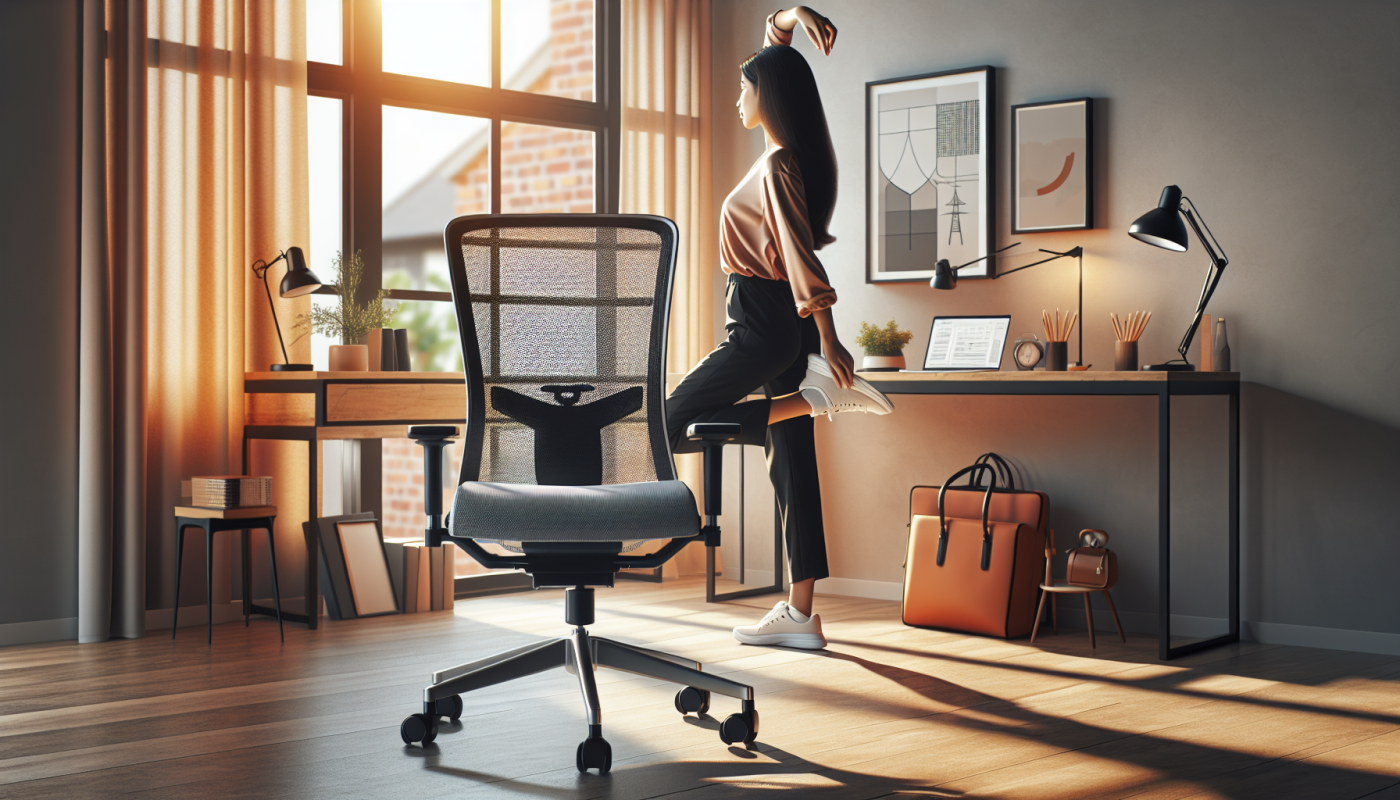
Back pain is the number one productivity killer for remote workers. Eight hours in a bad chair doesn’t just hurt — it compounds over weeks until you’re taking Advil before your morning standup. The good news: you don’t need a $500 Herman Miller to fix it. The right ergonomic office chair under $150 handles lumbar support, adjustable height, and proper seat depth — the three factors that actually prevent back pain during long work sessions.
This guide breaks down the best affordable home office chairs under $150 for remote workers in 2026. All three picks ship from thesupdesk.com with real product images and current pricing.
Quick Picks: Best Budget Ergonomic Chairs Under $150
| Chair | Price | Best For | Key Feature |
|---|---|---|---|
| 💰 Budget Pick Faux Leather High-Back Executive |
$139.99 | Remote workers on a budget | Lumbar support + rock function, lowest price |
| 🪑 Best Ergonomic Vineego High Back Swivel |
$149.99 | All-day desk work, clean look | Oil-resistant PU leather, padded curved armrests, 20° tilt |
| ⏱ Best for Long Hours Lacoo Gaming Chair with Footrest |
$149.99 | Long sessions, freelancers, coders | Reclines to 165°, extendable footrest, massage lumbar |
Why Your Chair Is Causing Back Pain (And What to Fix)
Most budget chairs fail in one of three ways:
- No lumbar support — your lower back rounds under gravity after 90 minutes, compressing the L4/L5 discs. This is the most common cause of chronic remote work back pain.
- Wrong seat height — if your knees are above your hips or your feet dangle, your pelvis tilts and your spine loads asymmetrically. Adjustable height range matters more than most buyers realize.
- Too-soft foam — cheap foam compresses flat in 6–12 months. You end up sitting on the hard pan beneath. High-density sponge or memory foam lasts 2–3x longer.
All three chairs below address at least two of these problems. The Lacoo hits all three.
💰 Budget Pick: Faux Leather High-Back Executive Chair — $139.99
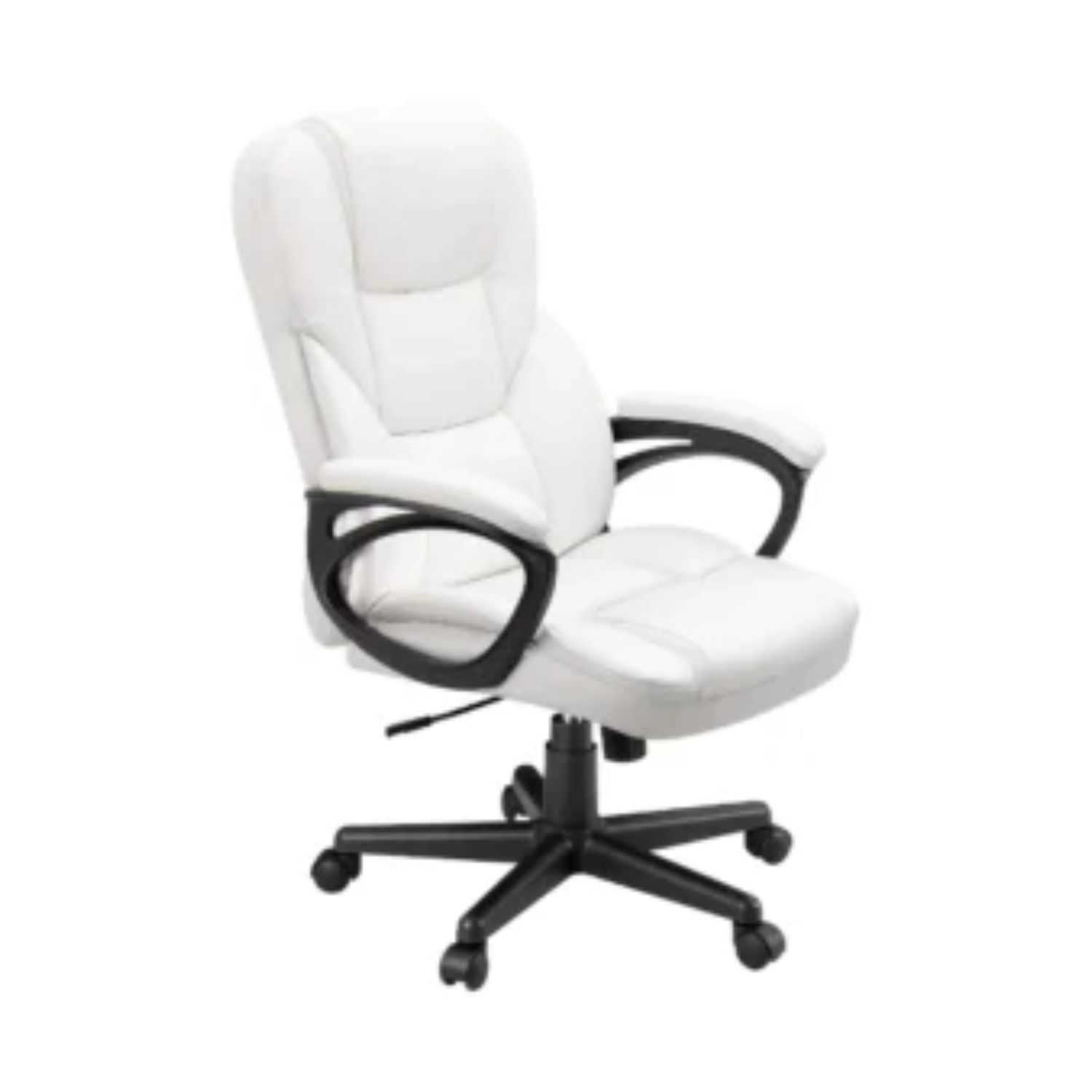
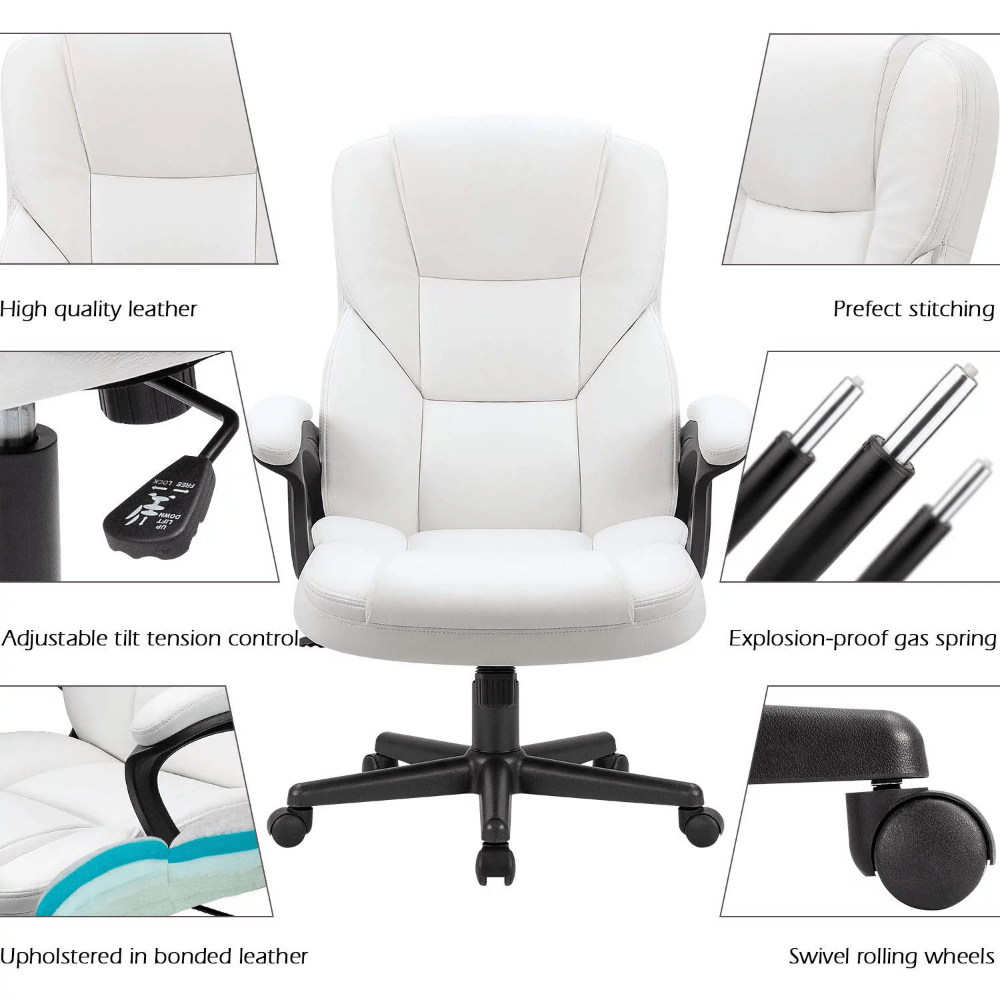
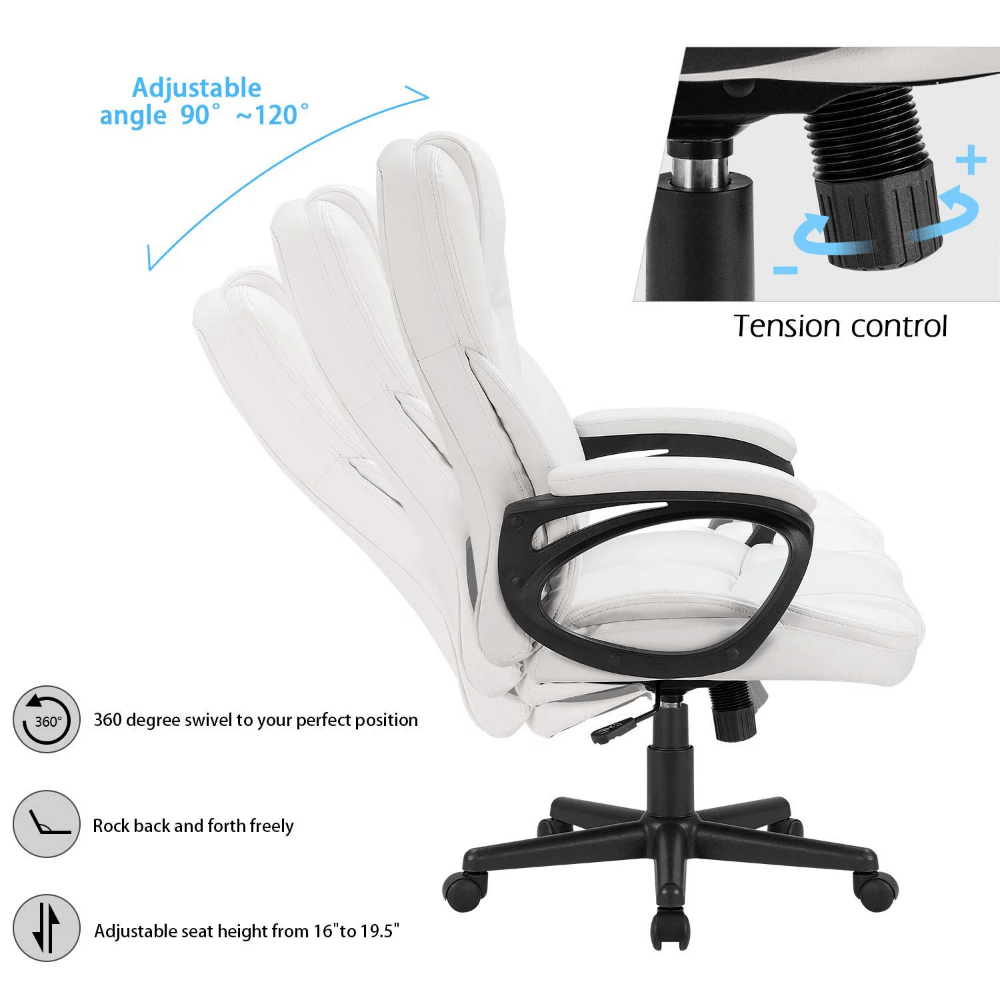
The most affordable pick on this list and the easiest to justify if you’re not sure you want to spend $150 on a chair. The Faux Leather High-Back Executive Chair gives you built-in lumbar support, 360° swivel, adjustable seat height, and a rock/recline function — all the basics you need to stop lower back pain from building up during long remote work sessions.
At $139.99, it sits $10 below the other chairs on this list and covers the fundamentals without anything unnecessary. The wear-resistant faux leather wipes clean easily — useful if you’re eating lunch at your desk every day.
- Lowest price on the list — $139.99
- Built-in lumbar support addresses the main cause of remote work back pain
- Rock function lets you shift posture throughout the day
- 300 lb weight capacity — more than most budget chairs
- PU casters protect hardwood and laminate floors
- No footrest or recline past standard rock function
- Armrest specs not published — may not be height-adjustable
- Smaller seat depth (21.8″) than the Vineego or Lacoo
| Spec | Detail |
|---|---|
| Price | $139.99 |
| Seat dimensions | 19.8″ W × 21.8″ D |
| Back dimensions | 21.8″ W × 24.8″ H |
| Height range | 17.2″ – 21.2″ |
| Weight capacity | 300 lbs |
| Material | Wear-resistant faux leather, high-density sponge |
| Lumbar support | Built-in ergonomic lumbar |
| Swivel | 360° |
| Recline | Rock function |
| Assembly difficulty | Easy — included tools, ~20 min |
→ See Executive Chair at thesupdesk.com ($139.99)
🪑 Best Ergonomic: Vineego High Back Swivel Desk Chair — $149.99
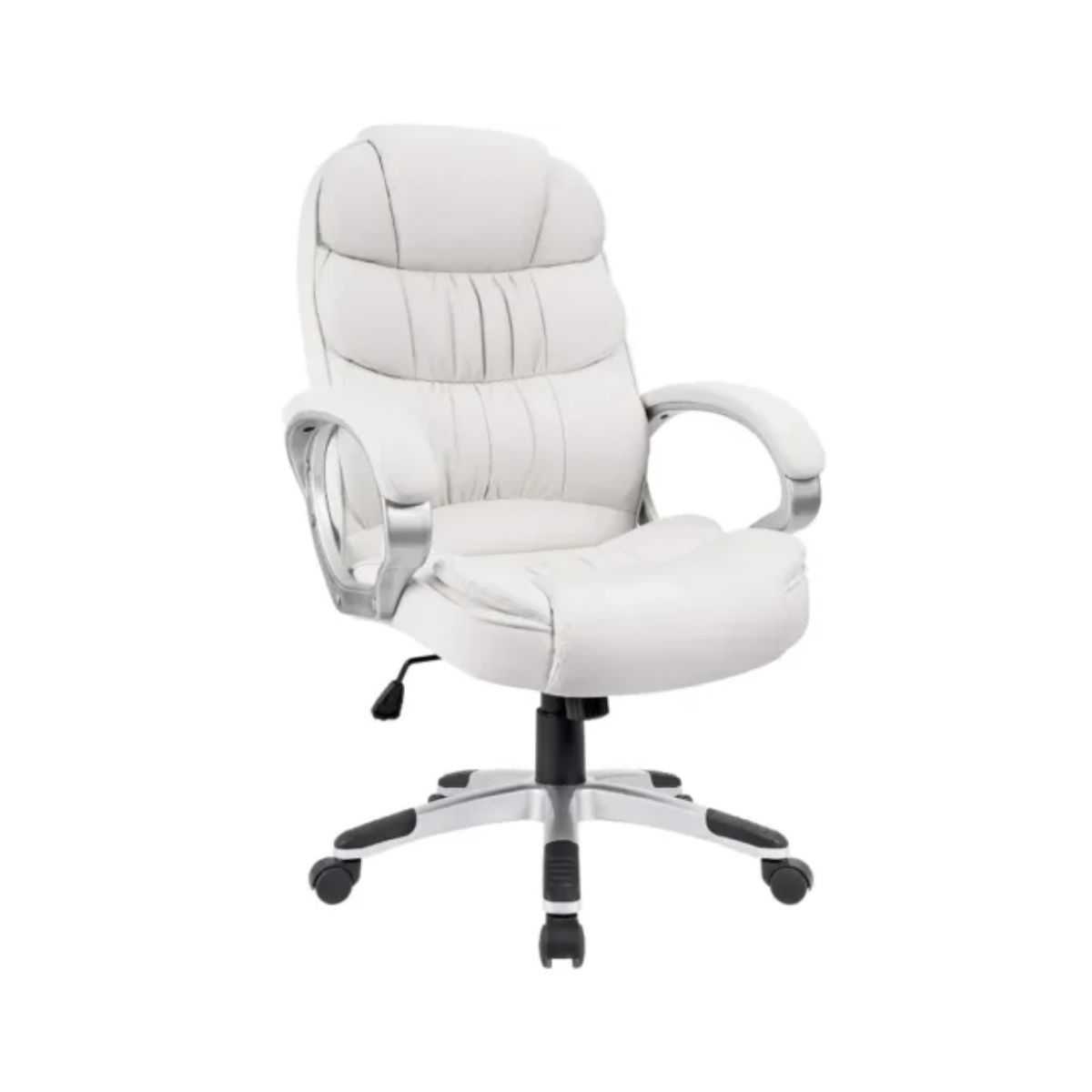
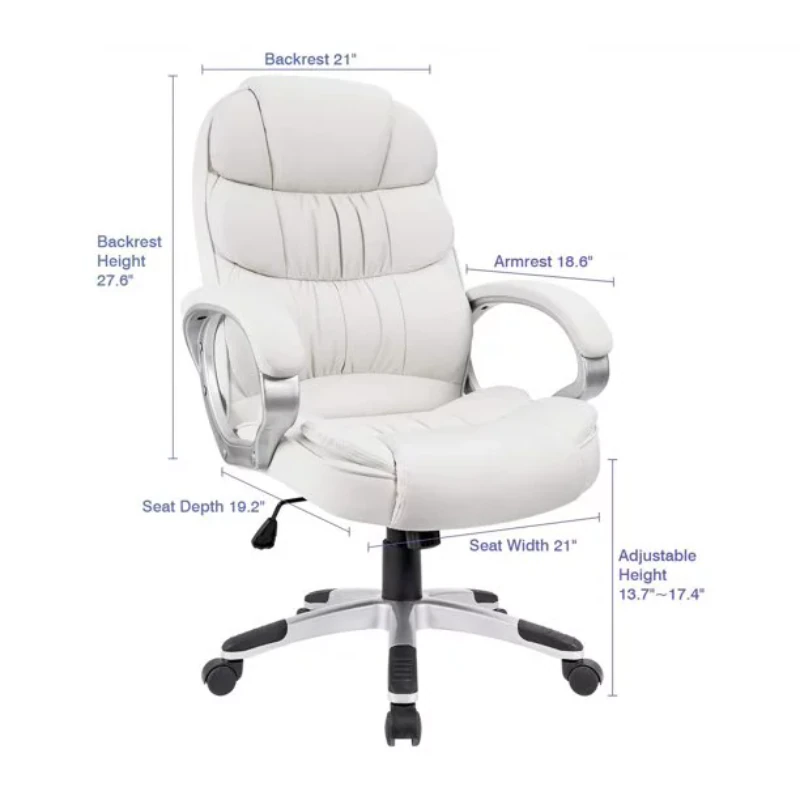
The Vineego High Back Executive Chair is the best all-rounder on this list. It has the largest back panel (27.9″ high), padded curved armrests for shoulder relief, and PU bonded leather that’s both oil and water-resistant — meaning it survives the inevitable coffee spill. The 20-degree tilt function lets you lean back without leaving your work zone, which reduces the spinal compression that builds up when you’re locked upright for hours.
The seat is wider (20.9″) and deeper (20.1″) than the faux leather chair, which matters if you’re tall or tend to shift positions throughout the day. Noiseless 360° rotating rollers mean no screeching when you roll to the printer.
- Tallest back panel (27.9″) — supports full spine from lumbar to upper back
- Padded curved armrests reduce shoulder tension during typing
- Oil and water-resistant leather — wipes clean completely
- 20° tilt function — postural relief without fully reclining
- Pneumatic height adjustment is smooth and quiet
- No footrest option
- Tilt range (20°) is modest — not a full recline chair
- PU bonded leather will crack over time in dry climates without conditioning
| Spec | Detail |
|---|---|
| Price | $149.99 |
| Seat dimensions | 20.9″ W × 20.1″ D |
| Back dimensions | 20.9″ W × 27.9″ H |
| Height range | 17.3″ – 20.5″ (overall: 45.2″–48.4″ H) |
| Weight capacity | 300 lbs |
| Material | PU bonded leather (oil + water-resistant) |
| Lumbar support | Ergonomic bonded leather lumbar |
| Armrests | Padded curved armrests |
| Tilt | Up to 20° tilt function |
| Wheels | Noiseless 360° rotating rollers |
| Assembly difficulty | Easy — included hardware + manual, ~20 min |
→ See Vineego Chair at thesupdesk.com ($149.99)
⏱ Best for Long Hours: Lacoo Gaming Chair with Footrest — $149.99
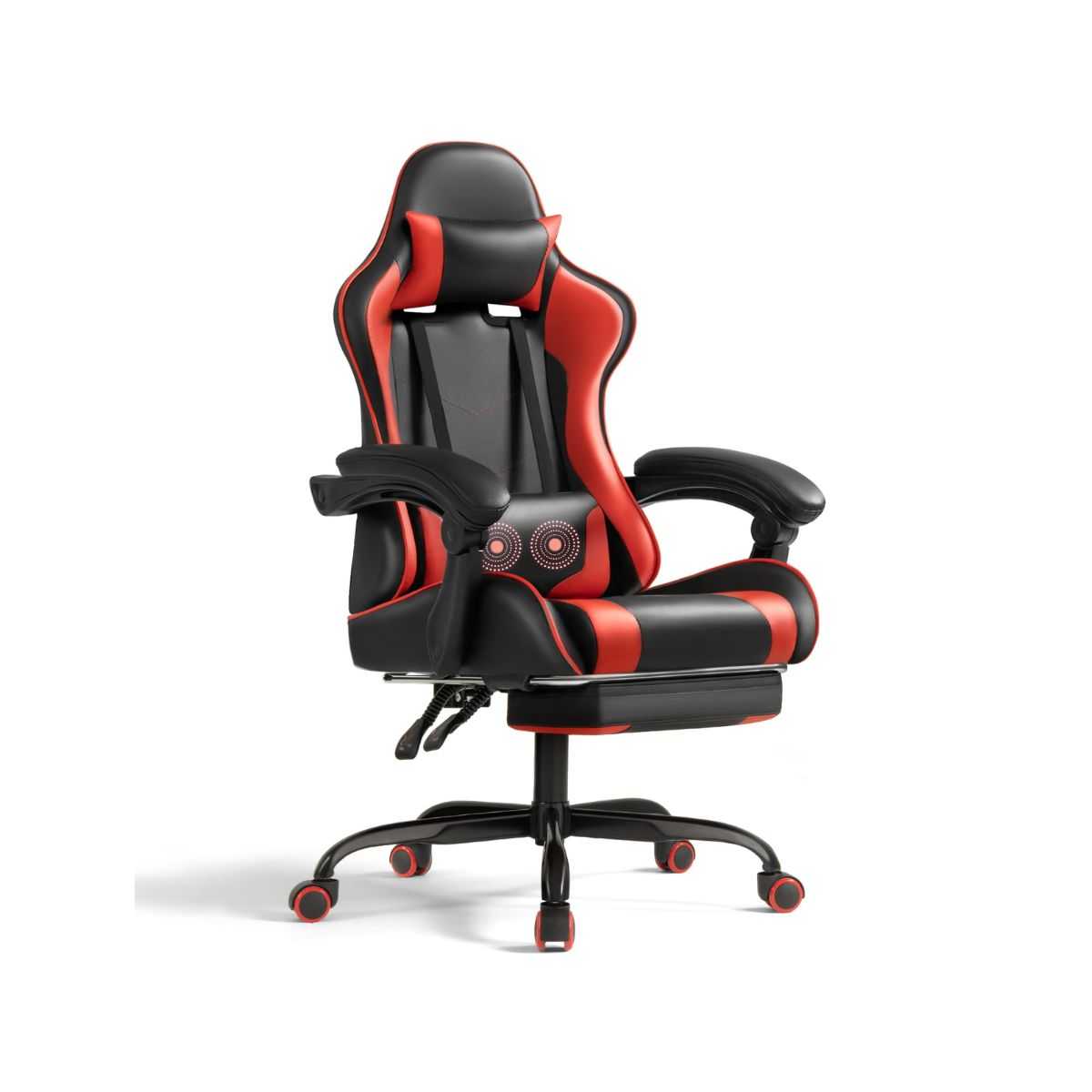
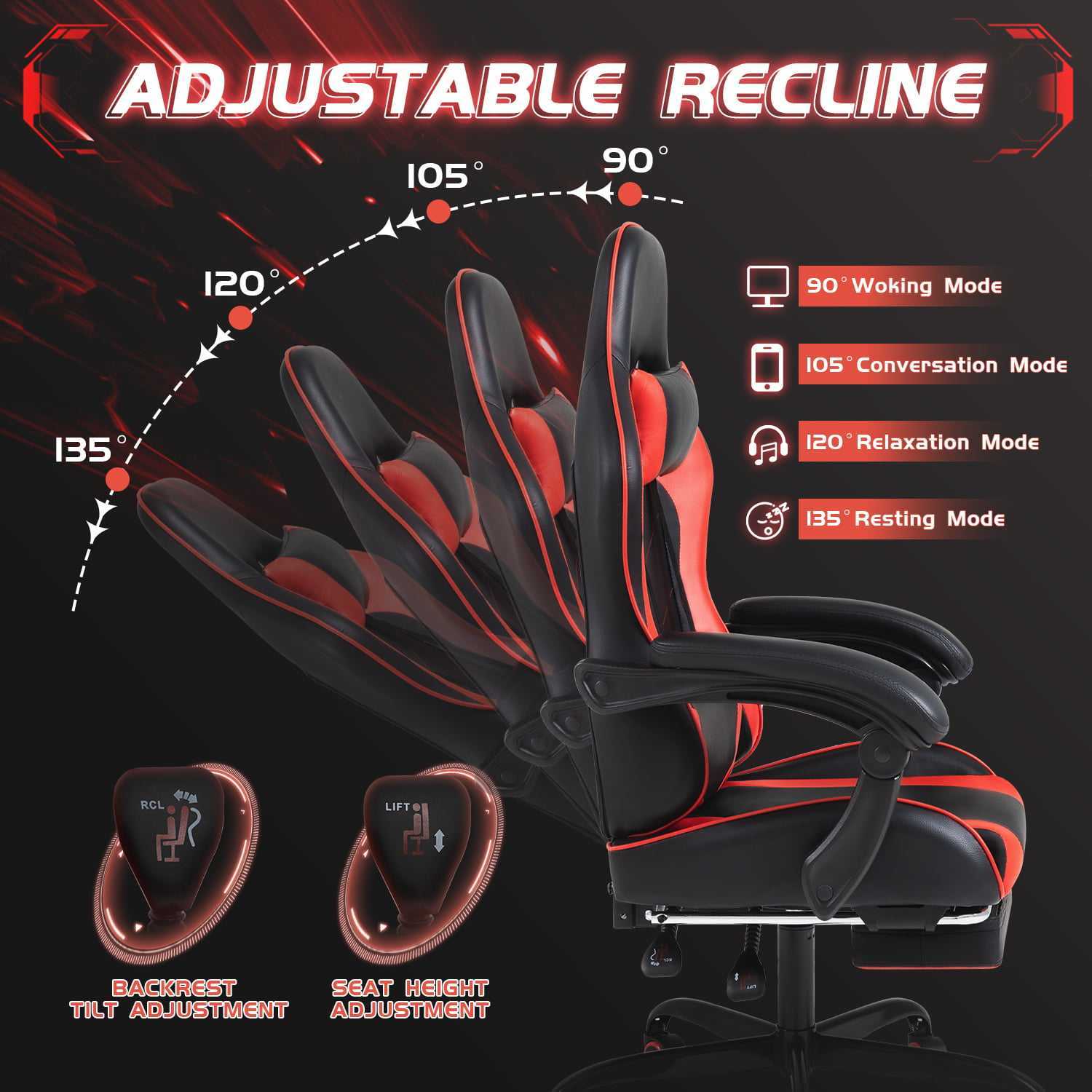
If you spend 6–10 hours at your desk daily — whether freelancing, running a side business, or coding — the Lacoo Gaming Chair with Footrest is the pick. It reclines from 90° to 165°, meaning you can lean back fully between focus sessions without leaving your chair. The extendable footrest supports your legs when reclined, eliminating the leg fatigue that accumulates in standard desk chairs.
The massage lumbar system is the main differentiator at this price. Most $150 chairs give you passive lumbar support. The Lacoo adds a massage function — not a substitute for a proper ergonomic setup, but genuinely useful for long sessions where your lower back starts to tighten. Paired with the high-rebound sponge padding (better than standard foam), this is the most feature-complete chair under $150 on thesupdesk.com.
- Reclines 90°–165° — full rest position without leaving your desk
- Extendable footrest — reduces leg fatigue on long sessions
- Massage lumbar support — active relief, not just passive foam
- High-rebound sponge — holds shape longer than standard foam
- Steel base and tubes — more durable structure than plastic-frame chairs
- Soft headrest for neck support when reclined
- Heavier than the other chairs (44 lbs) — harder to move
- Gaming aesthetic — not ideal for video calls in a professional setting
- Seat is slightly narrower (19.7″ W) than the Vineego
| Spec | Detail |
|---|---|
| Price | $149.99 |
| Dimensions | 19.7″ L × 18.5″ W × 50.4″ H |
| Height range | 17.3″ – 20.5″ |
| Weight capacity | 300 lbs |
| Material | PU leather, steel frame and base |
| Lumbar support | Massage lumbar system |
| Headrest | Soft padded headrest |
| Recline range | 90° – 165° |
| Footrest | Extendable |
| Swivel | 360° |
| Wheels | Quiet rubber rollers |
| Assembly difficulty | Easy — under 15 min, included tools |
→ See Lacoo Gaming Chair at thesupdesk.com ($149.99)
Buyer’s Guide: What to Look for in a Budget Ergonomic Chair
1. Lumbar Support — The Most Important Feature
Lumbar support fills the natural inward curve of your lower spine. Without it, your lower back rounds and collapses under gravity — the starting point for most work-from-home back pain. At the $150 price point, all three chairs on this list include lumbar support. The Lacoo adds a massage function; the other two have fixed ergonomic lumbar panels.
What to check: The lumbar support should contact your lower back when you’re sitting upright with your hips pushed back in the seat. If it’s positioned too high (touching your mid-back), it’s not helping.
2. Seat Height Adjustability
Your feet should be flat on the floor, knees at 90°–105°, hips at or slightly above knee level. The chairs on this list adjust from approximately 17″–21″ seat height — sufficient for most people between 5’3″ and 6’2″. If you’re significantly taller or shorter, check the range carefully before buying.
| Your Height | Recommended Seat Height | Works With |
|---|---|---|
| Under 5’4″ | 15″–17″ | All three (bottom of range) |
| 5’4″–5’10” | 17″–19″ | All three (mid range) |
| 5’10″–6’2″ | 19″–21″ | All three (top of range) |
| Over 6’2″ | 21″+ | May need a tall office chair |
3. Seat Material: Faux Leather vs. PU Leather vs. PU Bonded Leather
| Material | Durability | Breathability | Cleaning | Best For |
|---|---|---|---|---|
| Faux leather (PVC) | Good (5–7 yr) | Low — runs warm | Easy wipe-down | Budget picks, easy cleaning |
| PU leather | Good (5–7 yr) | Low-medium | Easy wipe-down | Gaming chairs, general use |
| PU bonded leather | Very good (7–10 yr) | Low | Oil + water resistant | Professional home office |
None of these materials breathe like mesh. If your home office gets warm in summer, pair any of these chairs with a thin seat cushion for airflow — or accept that leather chairs run warmer.
4. Weight Rating
All three chairs on this list are rated for 300 lbs. For context, the industry standard for basic office chairs is 250 lbs. Getting a 300 lb rated chair at $140–$150 is a real value — it also means the frame and gas cylinder are built to a higher standard, which translates to longer lifespan even if you weigh less than 300 lbs.
5. Assembly Difficulty
All three chairs ship in flat-pack boxes with included tools and instructions. Assembly is straightforward for all three — typically 5 major components: base, gas cylinder, seat, back panel, and armrests. Plan 15–25 minutes. The Lacoo has one extra step (footrest attachment) but it’s still under 20 minutes total.
Complete Your Home Office Setup
A good chair is the foundation — but what you pair it with matters. If you’re building a proper remote work setup:
- Desk: See our guide on standing desks under $250 — pairing a sit-stand desk with an ergonomic chair eliminates back pain more effectively than either alone.
- Monitor: Best portable monitors under $100 — add a second screen without a permanent desk footprint.
- Accessories: Best desk accessories under $50 — cable management, lighting, and charging pads that make any setup feel premium.
- Remote work bundles: thesupdesk.com’s remote work bundles combine desk gear, accessories, and peripherals at a discount — worth checking if you’re outfitting a full home office.
Frequently Asked Questions: Budget Ergonomic Office Chairs
Can a chair under $150 actually prevent back pain?
Yes — if it has proper lumbar support and correct seat height for your body. The most common cause of work-from-home back pain is poor lumbar support, not chair price. A $139.99 chair with built-in lumbar support will prevent more back pain than a $400 chair without it. The diminishing returns above $150 are mostly in breathability (mesh) and adjustability granularity (adjustable lumbar depth, armrest width).
What’s the difference between a gaming chair and an office chair?
Gaming chairs typically recline further (up to 165°+), include footrests and headrests, and have a more aggressive look with racing bucket seat styling. Office chairs prioritize upright posture support, professional appearance, and sometimes mesh for breathability. For long hours at home, gaming chairs are legitimate ergonomic options — the recline and footrest are genuinely useful for preventing hip flexor tightness.
How long do budget office chairs last?
Expect 4–7 years of regular use from a well-built $140–$150 chair. The failure points to watch: gas cylinder (starts sinking after 3–5 years — replaceable for ~$20), foam compression (seat flattens after 3–4 years of daily use), and leather cracking (common in dry climates — treat annually with leather conditioner). Chairs rated for 300 lbs tend to last longer than 250 lb-rated models regardless of the user’s weight, due to more robust construction.
Are these chairs good for standing desk pairings?
Yes. A standing desk paired with an ergonomic chair is the most effective combination for back health in a home office. The height adjustment range on all three chairs (17″–21″ seat height) pairs well with standing desks at standard sitting heights. See our standing desk guide for desk options under $250.
Which chair is best for someone with existing lower back pain?
The Lacoo Gaming Chair ($149.99) is the top pick for existing lower back pain due to its massage lumbar feature, full recline to 165°, and extendable footrest. These features let you shift positions and decompress your spine throughout the day — which is more important than lumbar firmness for people already in pain. If recline isn’t important, the Vineego ($149.99) has the tallest back panel (27.9″) and supports your full spine from lumbar to upper back.
Related Posts
- The Ultimate Remote Work Desk Setup Guide 2026 — complete home office build with desk, chair, monitor, and accessories
- Best Standing Desk Under $250 (2026) — pairs with any ergonomic chair to eliminate back pain
- Best Desk Accessories for Productivity Under $50 (2026) — finish your setup with lighting, cable management, and more