

Security Cameras
Best Wireless Security Camera for Renters (No Drilling) 2026
Apr
Best Wireless Security Camera for Renters (No Drilling) 2026
Renting means you can’t drill holes in walls. Your landlord will charge you for it, and the security deposit is already stretched thin. The good news: the best renter-friendly security cameras in 2026 don’t need a single screw. Magnetic mounts, adhesive strips, freestanding tabletop designs, and cameras that screw into a light socket — all deliver real home security without touching your walls.
This guide covers the top wireless security cameras for apartments and rentals that require zero drilling, handle 1080p+ video, and set up in under 10 minutes via WiFi.
Quick Picks
| Camera | Price | Mount Type | Resolution | Best For |
|---|---|---|---|---|
| Cobell 960P Panoramic | $65.89 | Freestanding / shelf | 960P HD | 🏆 Best for Apartments |
| Bulb Lamp WiFi Camera | $114.10+ | Light socket (E27) | 1080p | ⚡ Easiest Setup |
| SUP Desk 1080P WiFi Camera | $268.44 | Flexible bracket | 4MP / 1080p | 🔒 Best Coverage |
Why Renters Have Different Needs
Most security camera reviews assume you own your home. Renters face a different checklist:
- No drilling — lease violations and deposit deductions
- Portability — you move every 1–3 years; the camera should move with you
- WiFi-only — no running ethernet cables through walls
- Minimal footprint — apartment windows and entryways have tight clearance
- Renters insurance — documented footage supports claims
Mounting Options Explained
| Mount Type | Drilling? | Stability | Best Location |
|---|---|---|---|
| Freestanding / tabletop | None | Medium | Bookshelves, countertops, window ledges |
| Adhesive strips (3M Command) | None | High | Interior walls, door frames |
| Magnetic base | None | High (on metal) | Refrigerators, metal shelving, window frames |
| Light socket (E27/E26) | None | Very High | Ceiling fixtures, porch lights, bedside lamps |
Battery vs. Plug-In: What Works for Rentals
Plug-in (USB / AC): Best for indoor spots near an outlet — bookshelves, desks, end tables. Continuous power, no recharging. The downside: visible cable. Use cable clips (also adhesive) to run it neatly along baseboards without drilling.
Battery-powered: Maximum flexibility — place anywhere, move whenever. Typical recharge cycle is every 1–3 months depending on motion frequency. Best for entryways and windows where outlet access is awkward.
Light socket cameras: Draw power from the fixture itself. Zero external cables, zero wall damage. As long as there’s a light socket, you have a powered camera. This is the cleanest renter solution for porches and hallways.
WiFi Setup for Apartments
All three cameras below connect via 2.4GHz WiFi (industry standard for smart home devices). Setup is app-based — scan a QR code, enter your WiFi password, done. A few tips for apartment WiFi:
- 2.4GHz has better range through walls than 5GHz — don’t force a 5GHz connection
- Place your router centrally to reach front-door and back-door cameras equally
- If signal is weak at a window, a $20 WiFi range extender handles it without landlord involvement
- Password-protect your camera app — shared building WiFi is a security risk
Cloud vs. Local Storage
| Storage Type | Cost | Privacy | Reliability |
|---|---|---|---|
| MicroSD (local) | One-time ($10–$20) | High — footage stays on device | Depends on card quality |
| Cloud (subscription) | $3–$10/mo | Lower — data leaves your home | Accessible anywhere, survives theft |
| Hybrid (both) | MicroSD + optional cloud | Best of both | Ideal setup |
Recommendation for renters: Use a microSD card as your primary storage. No monthly fees, no accounts to manage when you move. Add a cloud plan only if you need remote access to footage while traveling.
#1: Cobell 960P WiFi Panoramic Camera — Best for Apartments ($65.89)
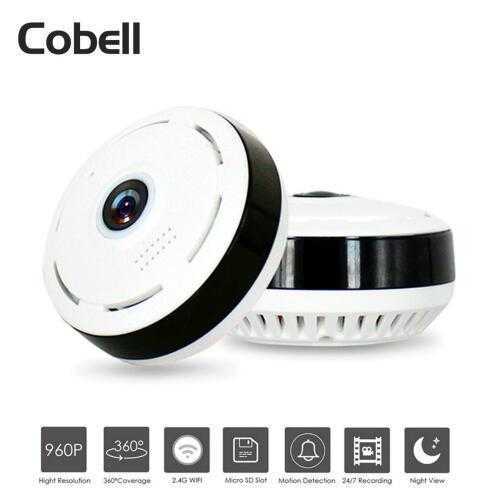
The Cobell 960P is the ideal renter camera. It sits flat on any surface — bookshelf, kitchen counter, window ledge — and its 360° fisheye lens covers your entire room from a single placement point. No mounting hardware whatsoever. Just plug it in and set it down.
At $65.89, it’s the most affordable full-room camera that works out of the box with zero installation. The 960P SONY CMOS sensor handles night vision up to 15 meters, and the 128GB microSD support means months of local footage without a subscription.
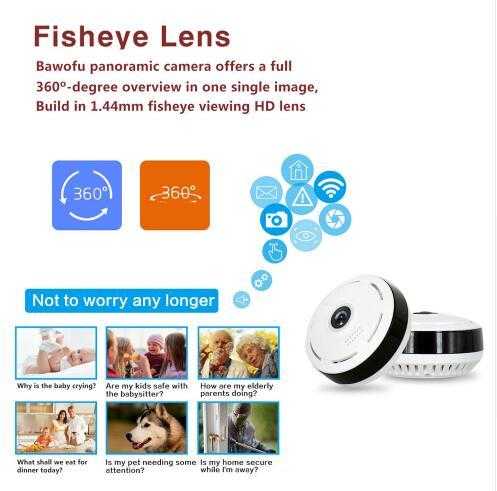
Specs at a glance:
- Resolution: 960P HD (SONY CMOS sensor)
- Field of view: 360° panoramic fisheye
- Night vision: IR up to 15 meters
- WiFi: 802.11 b/g (2.4GHz)
- Storage: Up to 128GB microSD + app cloud
- Audio: 2-way audio + motion detection alerts
- Mount: Freestanding — no drilling, no adhesive
Pros: Zero installation · Full 360° room coverage from one device · Under $70 · Local microSD storage · Works with iOS and Android
Cons: 960P rather than 1080p · Short IR range vs. outdoor cameras · No built-in siren
→ Shop Cobell 960P on thesupdesk.com — $65.89
#2: Bulb Lamp WiFi IP Camera — Easiest Setup ($114.10)
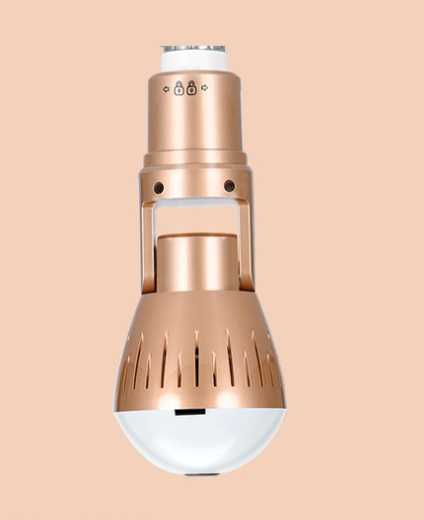
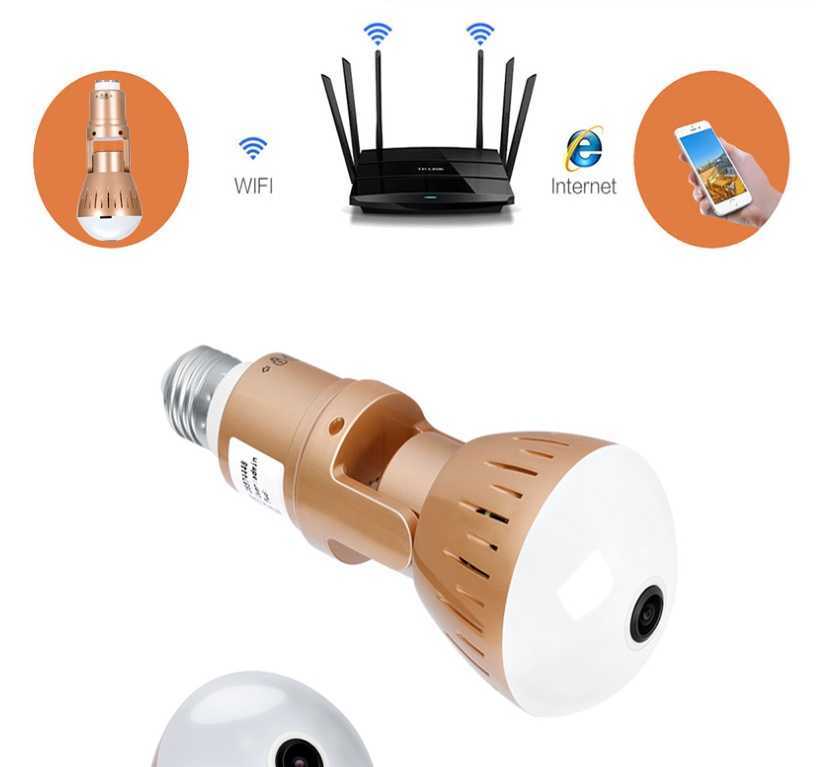
This is the cleverest renter solution in the list. The Bulb Lamp WiFi Camera screws directly into any standard E27/E26 light socket — porch light, ceiling fixture, bedside lamp — and draws power from the fixture itself. Zero cables. Zero adhesive. Zero drilling. You’re literally just changing a light bulb, except the bulb watches your front door.
The 1080p 360° fisheye captures a full panoramic view. IR night vision handles 10-meter range. Footage saves to a microSD card or streams to the mobile app. Starting at $114.10, it’s the safest camera to install in any rental without worrying about your lease.
Specs at a glance:
- Resolution: 1080p (2MP, 1920×1080)
- Field of view: 360° panoramic fisheye (1.44mm lens)
- Night vision: IR up to 10 meters, 0.1 Lux low-light
- Mount: E27/E26 light socket — screws in like a bulb
- Power: Draws from light fixture (no external cable)
- Storage: 16GB or 32GB microSD card included
- Connectivity: WiFi
Pros: Uses existing light socket — no modifications · Powers from fixture (no cords) · Works indoors and covered outdoor fixtures · 1080p resolution · microSD included
Cons: Only works with compatible E27/E26 sockets · Fixed to socket position · No 2-way audio on base model
→ Shop Bulb Lamp WiFi Camera on thesupdesk.com — from $114.10
#3: SUP Desk 1080P WiFi CCTV Camera — Best Coverage ($268.44)
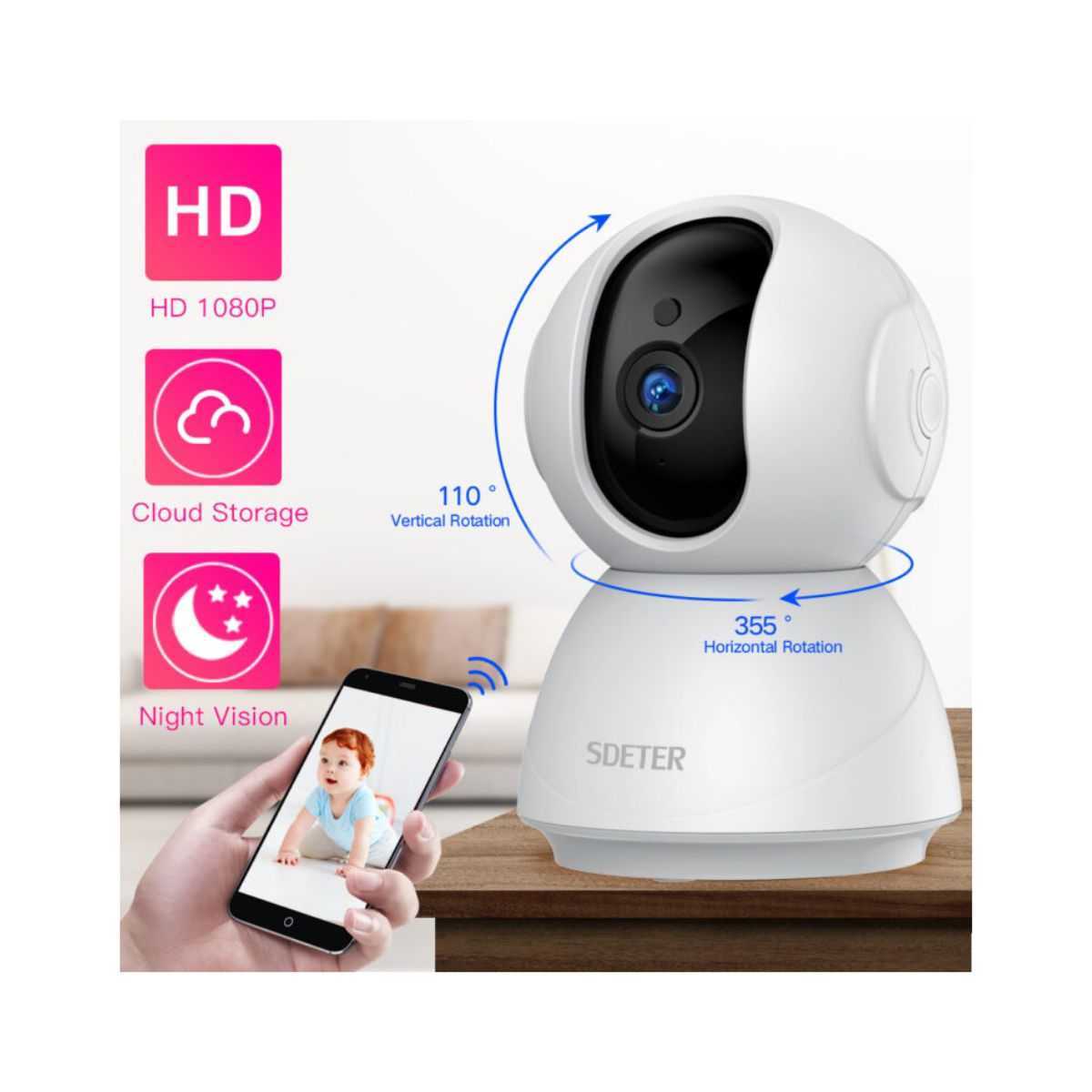
When you need serious surveillance — large apartment, multiple entry points, or you want to cover a patio or parking area — the SUP Desk 1080P/720P WiFi CCTV Camera is the step up. At $268.44, it packs a 4MP SONY sensor with night vision CCTV-grade coverage, all over WiFi with 1.5TB onboard storage capacity.
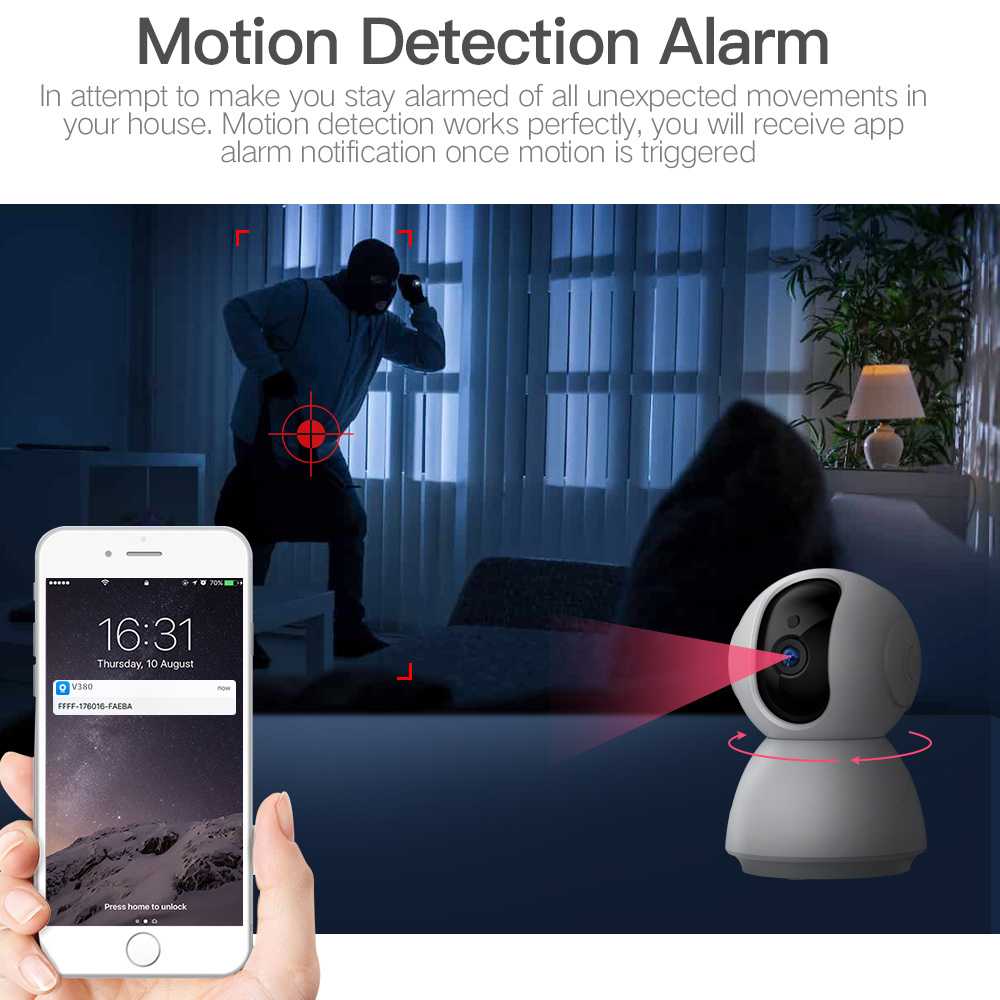
The flexible bracket design means it can sit on a shelf, clip to a window ledge with an adhesive-backed arm, or mount magnetically on metal surfaces. No permanent drilling required. This is the camera for renters who need professional-grade footage for insurance documentation or high-security needs.
Specs at a glance:
- Resolution: 4MP / 1080P (1920×1080), 720P selectable
- Sensor: SONY CMOS
- Connectivity: WiFi CCTV
- Storage: Up to 1.5TB
- Night vision: Color night vision
- Focal length: 1.05mm wide angle
- App: iOS + Android + Windows Mobile
Pros: 4MP SONY sensor · Massive 1.5TB storage · Wide-angle 1.05mm lens for broad coverage · Works over WiFi (no ethernet runs) · Insurance-documentation quality footage
Cons: Premium price at $268 · Bracket requires a surface to sit on or clip to · More complex setup than the other options
→ Shop SUP Desk 1080P WiFi CCTV on thesupdesk.com — $268.44
Renter’s Installation Guide
Freestanding / Shelf Setup (Cobell)
- Choose a high point: top of a bookcase, refrigerator, or window ledge
- Set camera with fisheye pointing down-angle toward the room
- Download the app, connect to 2.4GHz WiFi
- Insert microSD card for local recording
- Done — no tools required
Adhesive Strip Setup (any camera)
- Use 3M Command Large strips (rated 5–7 lbs) on the camera base
- Clean the wall surface with rubbing alcohol first
- Wait 1 hour for adhesive to cure before putting weight on it
- Use the Command-strip removal tab when moving — zero wall damage
Light Socket Setup (Bulb Cam)
- Turn off the light fixture at the switch
- Screw the camera into the E27/E26 socket like a regular bulb
- Turn the switch back on
- Connect to the app over WiFi
- Camera powers on automatically when switch is on
Renter Security Checklist
- ✅ Camera installed without drilling or permanent adhesive
- ✅ MicroSD card inserted for local recording (no subscription required)
- ✅ Motion detection alerts configured
- ✅ Two-factor auth enabled on the camera app
- ✅ Test night vision before relying on it
- ✅ Document camera placement in your rental inventory photos
Bottom Line
The Cobell 960P at $65.89 is the best overall pick for renters — it sits on any shelf, covers 360° with one device, and stores footage locally on microSD. No drilling, no adhesive, no complications.
If you want dead-simple installation with zero external hardware, the Bulb Lamp Camera at $114.10 wins — screw it into your porch light socket and it’s done. Renter-proof by design.
Need serious coverage? The SUP Desk 1080P WiFi CCTV at $268.44 delivers professional-grade 4MP footage and 1.5TB of storage — the choice for renters who treat their unit like it’s worth protecting at a higher level.
Browse all security cameras on thesupdesk.com →
Related: Best Wireless Security Camera Under $75 (2026) | Best Home Security Cameras Under $100 | Security Camera Bundles