

Handheld Gaming, Reviews
MSI Claw A1M Review: Late to the Party, But Worth the Wait?
May
The first Intel-powered handheld gaming PC finally arrives. We spent two weeks with the Claw A1M to find out if MSI’s debut into the handheld space can keep pace with ASUS and Valve.
The handheld gaming PC market exploded in 2023. Valve’s Steam Deck proved there was massive demand, ASUS answered with the ROG Ally, and Lenovo jumped in with the Legion Go. Everyone was using AMD. Then MSI walked in with an Intel chip and said, “Hold my beer.”
The MSI Claw A1M is the company’s first handheld gaming PC, and it bets everything on Intel’s Core Ultra processors with integrated Arc graphics. It’s a bold move. It’s also a late one. So the question isn’t just whether the Claw is good — it’s whether it’s good enough to justify showing up after the party already started.
Design & Build Quality
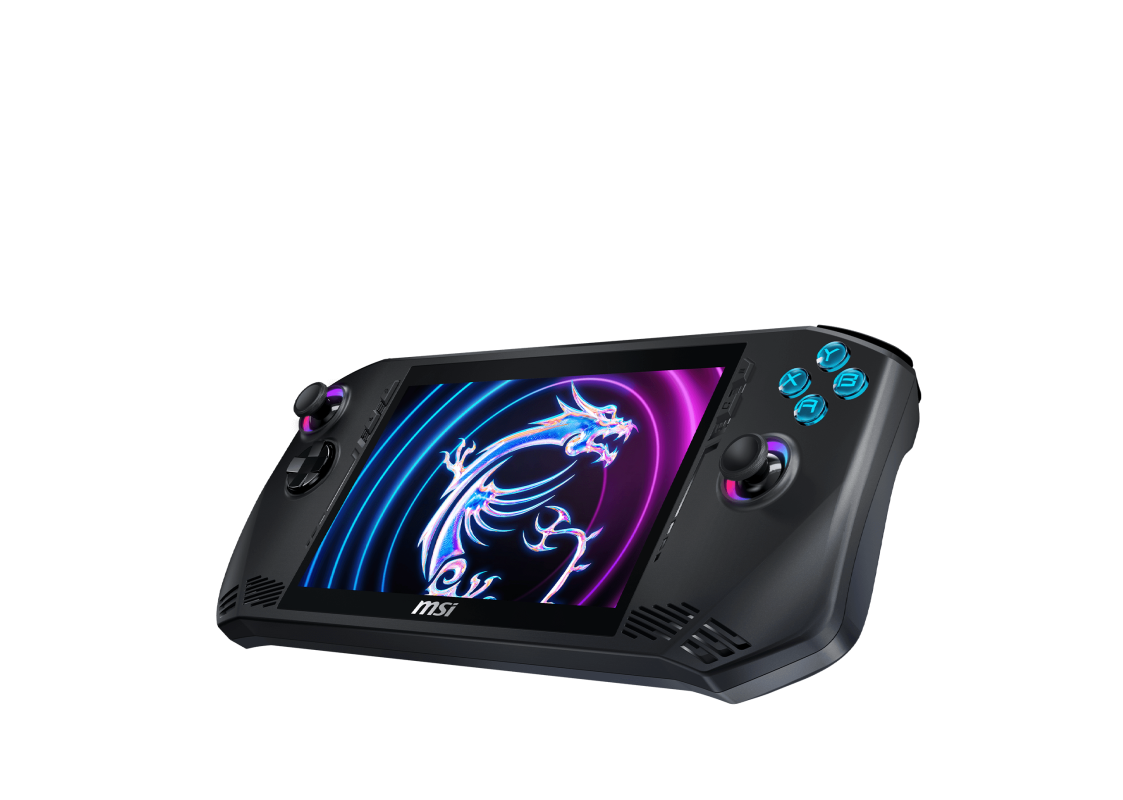
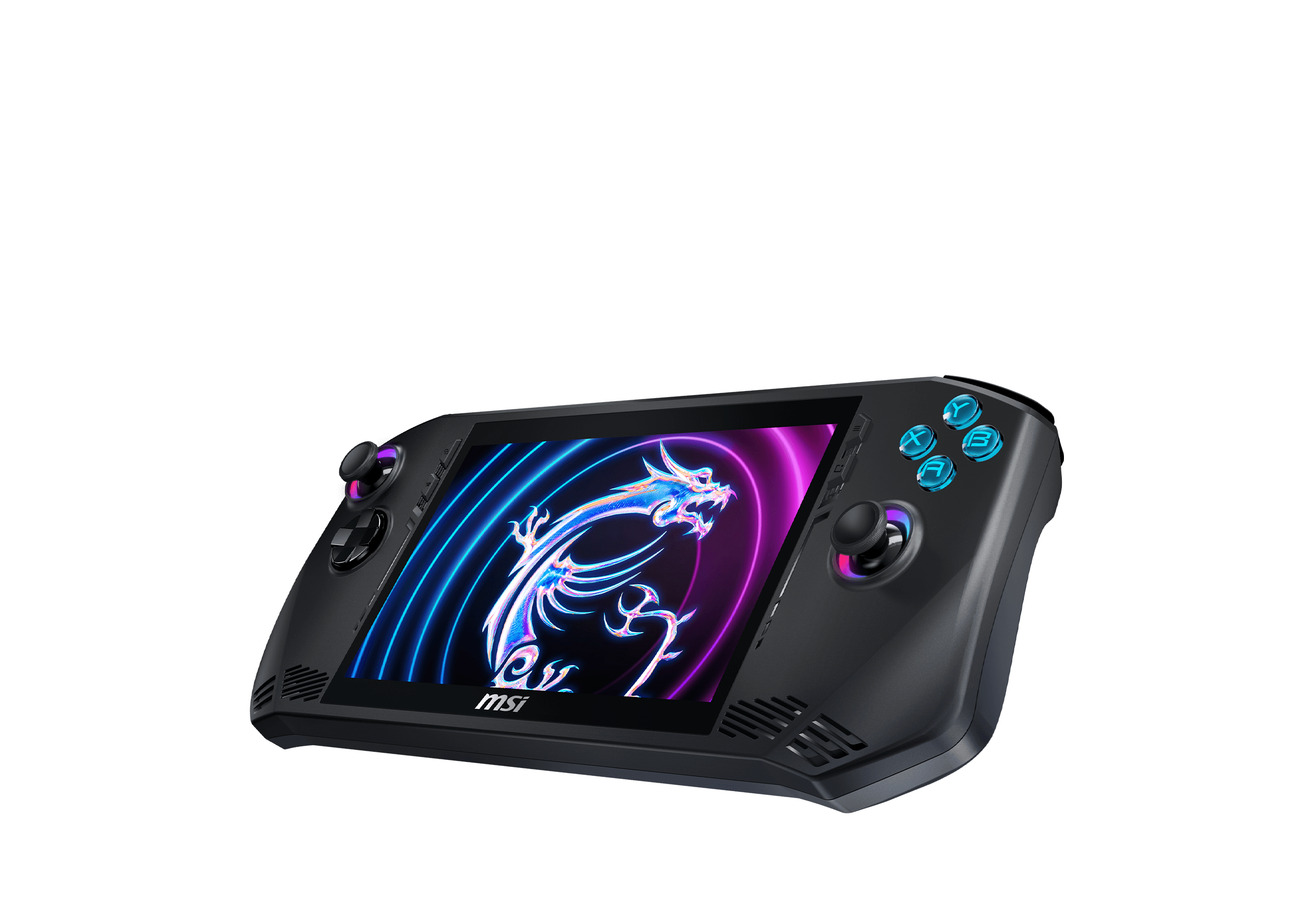
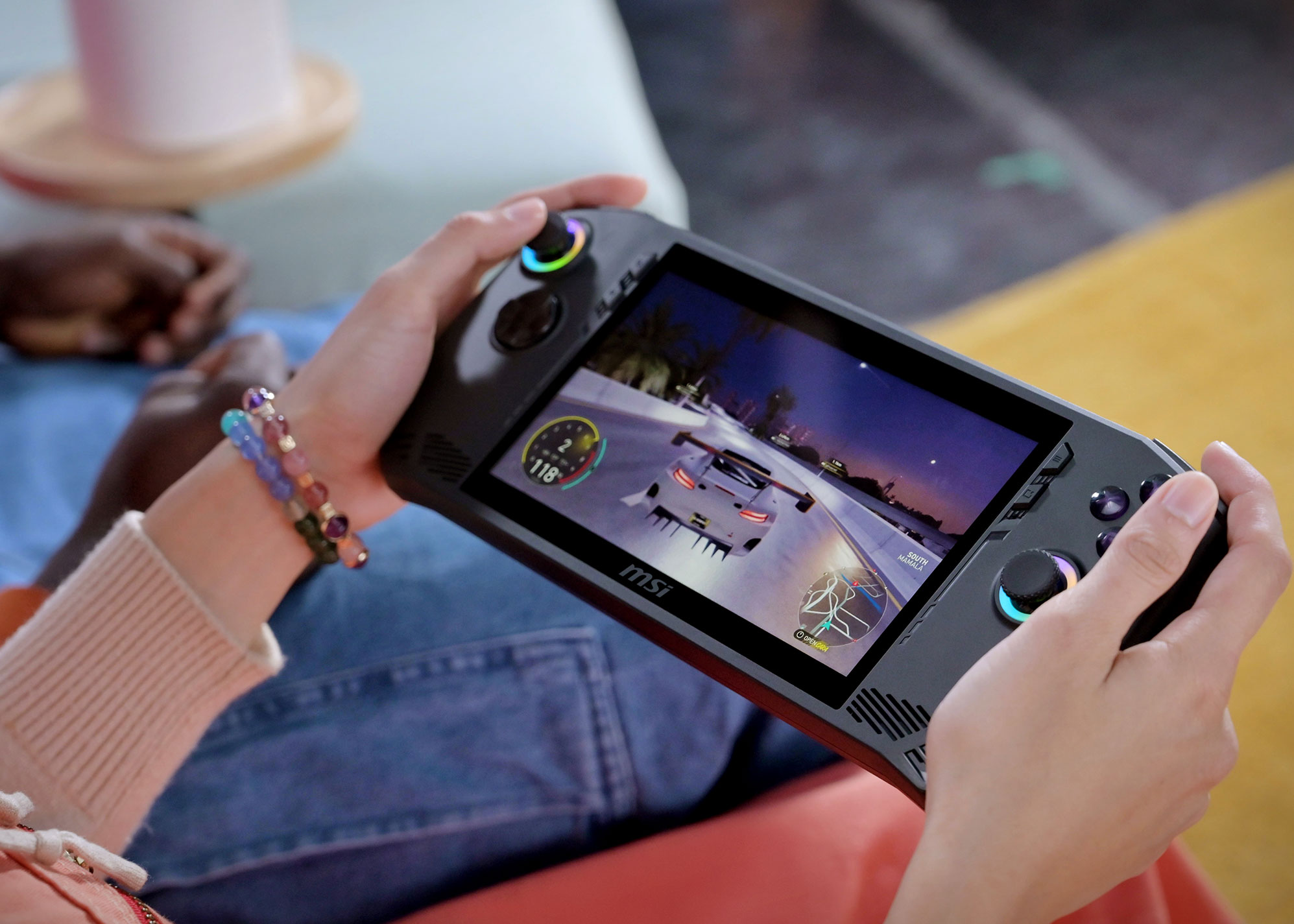
MSI nailed the physical design. The Claw A1M feels premium in hand — a polished, matte-black chassis with subtle MSI dragon branding that doesn’t scream “gamer” at a coffee shop. At 675 grams, it sits right between the Steam Deck (669g) and ROG Ally (608g). It’s heavier than the Ally but the weight distribution is better, so extended sessions feel less fatiguing.
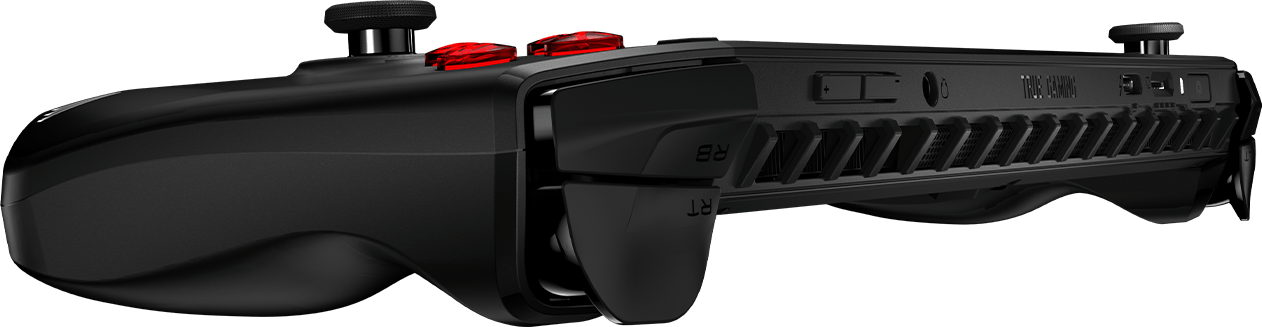
The ergonomics are genuinely excellent. The grips have a slight concave curve that naturally fits your palms, and the buttons have satisfying tactile feedback. The rear triggers are analog with a decent range of travel — not quite DualSense territory, but better than most handhelds.
Build quality is solid. No flex, no creaking, no cheap-feeling seams. MSI clearly spent time on the industrial design here, and it shows.
Display
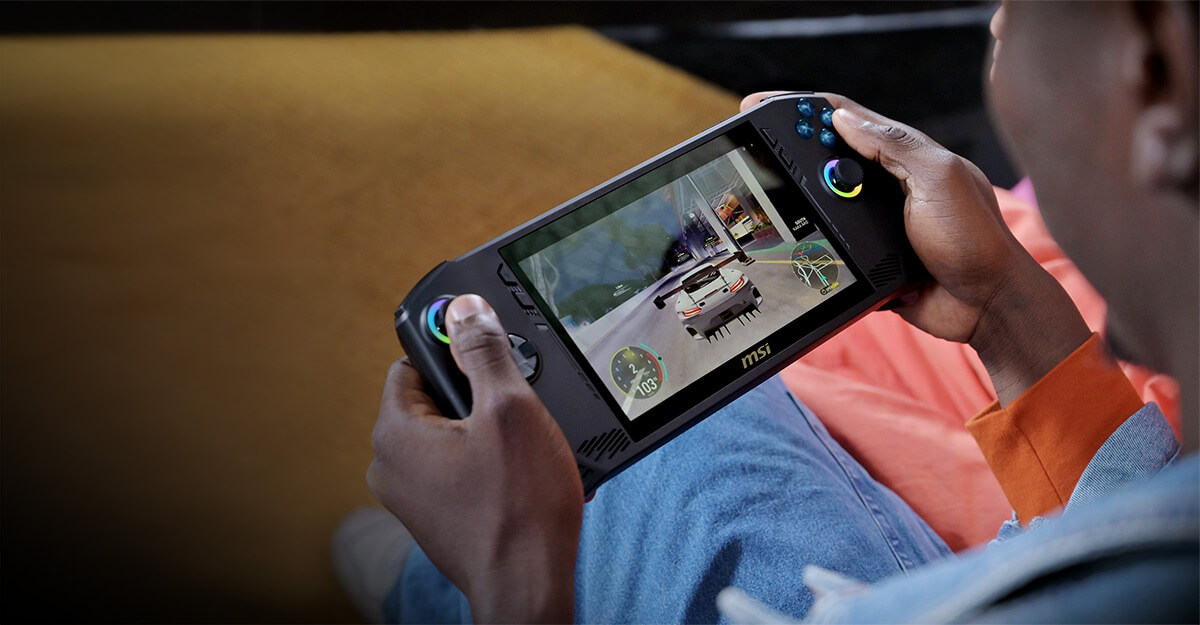
The 7-inch IPS display runs at 1920×1080 with a 120Hz refresh rate. Colors are vibrant, viewing angles are wide, and brightness is adequate for indoor use (though it struggles in direct sunlight, like every handheld). The 120Hz panel is a genuine advantage over the Steam Deck’s 60Hz LCD — scrolling through menus and playing lighter games feels noticeably smoother.
Touch response is accurate and responsive. MSI included a basic on-screen keyboard that works well enough for entering passwords and search queries, though you’ll want a Bluetooth keyboard for anything longer.
Controls
Here’s where MSI made a genuinely smart decision: Hall Effect joysticks. These use magnetic sensors instead of physical contact, which means no stick drift — ever. If you’ve had to replace a Joy-Con or send back a controller because of drift, you know how big this is.
The sticks feel precise and responsive, with just the right amount of resistance. The D-pad is clicky and accurate, and the face buttons (ABXY) have a satisfying snap to them. The bumpers and triggers are well-placed and comfortable for extended use.
One minor gripe: the back buttons are positioned slightly too high for my hands. During intense sessions, I occasionally hit them by accident. A firmware-level remap option would fix this (MSI, if you’re reading this, please).
Performance: The Intel Question
Let’s address the elephant in the room. The MSI Claw A1M uses Intel’s Core Ultra 7 155H processor with integrated Arc graphics. At CES 2024, MSI claimed the Claw would be 20-25% faster than AMD-based alternatives. That was… optimistic.
In real-world testing, the Claw A1M delivers competitive but not class-leading performance. Here’s what we saw across several titles at 1080p:
| Game | Settings | Avg FPS | Notes |
|---|---|---|---|
| Cyberpunk 2077 | Medium, FSR | 35-42 | Playable with XeSS upscaling |
| Elden Ring | Medium | 38-45 | Mostly stable, occasional dips |
| Fortnite | Performance | 60-80 | Smooth, no issues |
| Baldur’s Gate 3 | Medium | 30-38 | Serviceable, some stutters |
| Hades II | High | 60+ | Locked 60, no drops |
| Valorant | High | 80-100 | Excellent performance |
| Starfield | Low-Medium | 25-32 | Playable but not ideal |
Intel’s XeSS upscaling technology helps significantly in supported titles, adding 15-20% more frames with minimal visual quality loss. Arc driver improvements throughout 2024-2025 have also closed the gap with AMD’s Radeon integrated graphics considerably. The Claw at launch was notably behind the ROG Ally; today, it’s much closer.
The Intel Core Ultra 7 155H also brings something competitors don’t: a dedicated AI NPU. While this doesn’t help gaming directly, it future-proofs the device for AI-enhanced applications and could enable smarter power management in future firmware updates.
Battery Life: The Weak Spot
The 53Wh battery is adequate on paper but struggles under gaming loads. Here’s the reality:
- Heavy gaming (AAA titles): 1.5 – 2.5 hours
- Light gaming (indie/2D): 3 – 4 hours
- Video streaming: 5 – 6 hours
- General browsing: 6 – 7 hours
This is the Claw’s biggest weakness. The Intel chip draws more power than AMD’s Ryzen Z1 Extreme under load, and the battery pays for it. For a cross-country flight, you’ll want a USB-C power bank. The good news: it charges via USB-C PD at 65W, so a 30-minute top-up gets you another hour of gaming.
Thermals & Fan Noise
MSI’s cooling solution uses dual fans and a vapor chamber design. Under heavy load, the fans spin up noticeably — you’ll hear them in a quiet room. It’s not jet-engine loud (looking at you, early ROG Ally units), but it’s definitely present.
Surface temperatures stay reasonable. The back gets warm during extended gaming sessions but never uncomfortable. The front (where your hands actually grip) stays cool, which is thoughtful engineering.
Software: MSI Center M
The Claw runs Windows 11, which is both its greatest strength and its biggest annoyance. On one hand, you have access to every PC game store — Steam, Epic, GOG, Game Pass, everything. On the other hand, Windows wasn’t designed for a 7-inch touchscreen, and it shows.
MSI’s answer to this is MSI Center M, a custom overlay that acts as a game launcher and settings hub. It’s… functional. You can adjust TDP, fan curves, and display settings. You can launch games. You can check battery status. But compared to the Steam Deck’s SteamOS or even ASUS’s Armoury Crate SE, it feels underbaked.
The good news is that MSI has been pushing regular updates, and the software has improved meaningfully since launch. The latest version adds quick-resume functionality and better per-game profile management. It’s getting there — slowly.
Connectivity
This is where the Claw flexes its Intel muscles:
- Wi-Fi 7 — fastest wireless standard available
- Bluetooth 5.4 — rock-solid controller and audio connectivity
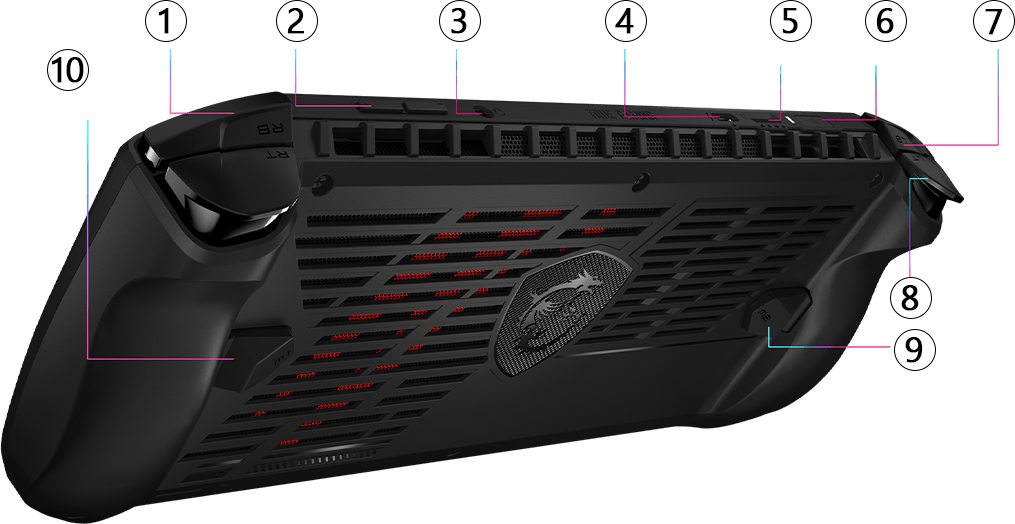
- 2x USB4 Type-C with Thunderbolt support — dock it and use it as a desktop PC
- MicroSD card reader — expandable storage for your game library
The dual Thunderbolt ports are a genuine differentiator. You can connect an eGPU, a 4K monitor, charge, and transfer files — all from a handheld gaming device. No other handheld in this price range offers Thunderbolt.
Pricing & Value
MSI offers three configurations:
| Model | Processor | Storage | Price |
|---|---|---|---|
| Claw A1M (Base) | Core Ultra 5 135H | 512GB | $699 |
| Claw A1M (Mid) | Core Ultra 7 155H | 512GB | $749 |
| Claw A1M (Top) | Core Ultra 7 155H | 1TB | $799 |
At launch, these prices were hard to justify against the ROG Ally at $599-699. But with recent price drops and improved driver performance, the value proposition is stronger than ever — especially if Thunderbolt connectivity matters to you.
Who Should Buy the MSI Claw A1M?
Buy it if:
- You want Thunderbolt connectivity for docking and eGPU support
- You value build quality and ergonomics over raw performance numbers
- You play a mix of AAA and indie games and don’t need max settings
- Stick drift has burned you before (Hall Effect sticks are worth it)
- You want Wi-Fi 7 future-proofing
Skip it if:
- Battery life is your top priority (get a Steam Deck OLED instead)
- You only play demanding AAA titles at high settings
- You want the best software experience out of the box (SteamOS wins here)
- Budget is tight — the ROG Ally offers better price-to-performance
The Verdict
The MSI Claw A1M is a solid 7.5/10. It’s a genuinely well-built handheld gaming PC with excellent controls, a great display, and future-proof connectivity that no competitor matches. The Intel chip was a risky bet that hasn’t fully paid off in raw gaming performance, and battery life is the price you pay for that gamble.
But here’s the thing: MSI showed up late, and they showed up with something respectable. Not revolutionary, not embarrassing — respectable. The hardware is premium, the controls are best-in-class, and the Thunderbolt connectivity opens doors that AMD-based handhelds simply can’t. If Intel continues improving Arc drivers (and they have been), the Claw will only get better with age.
Late to the party? Absolutely. But worth the wait? For the right buyer — yeah, it actually is.
Quick Specs
| Spec | Details |
|---|---|
| Processor | Intel Core Ultra 7 155H / Ultra 5 135H |
| Graphics | Intel Arc (Integrated) |
| Display | 7″ IPS, 1920×1080, 120Hz |
| RAM | 16GB LPDDR5X |
| Storage | 512GB / 1TB NVMe SSD |
| Battery | 53Wh, 65W USB-C PD charging |
| Controls | Hall Effect joysticks, full gamepad layout |
| Connectivity | Wi-Fi 7, BT 5.4, 2x USB4/Thunderbolt, microSD |
| Weight | 675g |
| OS | Windows 11 |
| Price | $699 – $799 |
Reviewed by The SUP Desk Editorial Team | May 2026