

Buying Guides
Best Desk Accessories for Productivity Under $50 (2026)
Apr
You don’t need a $1,000 desk overhaul to work better. The right $20–$50 accessory — in the right spot — makes a bigger difference than most expensive upgrades. Cable clutter kills focus. Bad lighting causes eye strain. No laptop stand means neck pain by noon.
This guide covers the best desk accessories for productivity under $50 in 2026 — real products from thesupdesk.com, with actual prices, what they do well, and who they’re for.
Whether you’re building a remote work setup from scratch or just filling the gaps, these are the accessories worth spending money on.
Quick Picks: Best Desk Accessories Under $50
| Product | Price | Best For | Category |
|---|---|---|---|
| Foldable Laptop Stand | $27.99 | 🏆 Best All-Around | Ergonomics / Monitor Riser |
| GadgetKlip Cable Organizer | From $7.99 | 🌟 Most Underrated | Cable Management |
| Quntis ScreenLinear Pro Light | $39.99 | Best Desk Lighting | Lighting |
| 240W 4-in-1 USB-C Cable | $9.99 | Best Value Under $10 | Charging / Cable |
| Mello GaN Charger | $48 | Best Premium Pick | Charging / Power |
🏆 Best All-Around: Foldable Laptop Stand ($27.99)
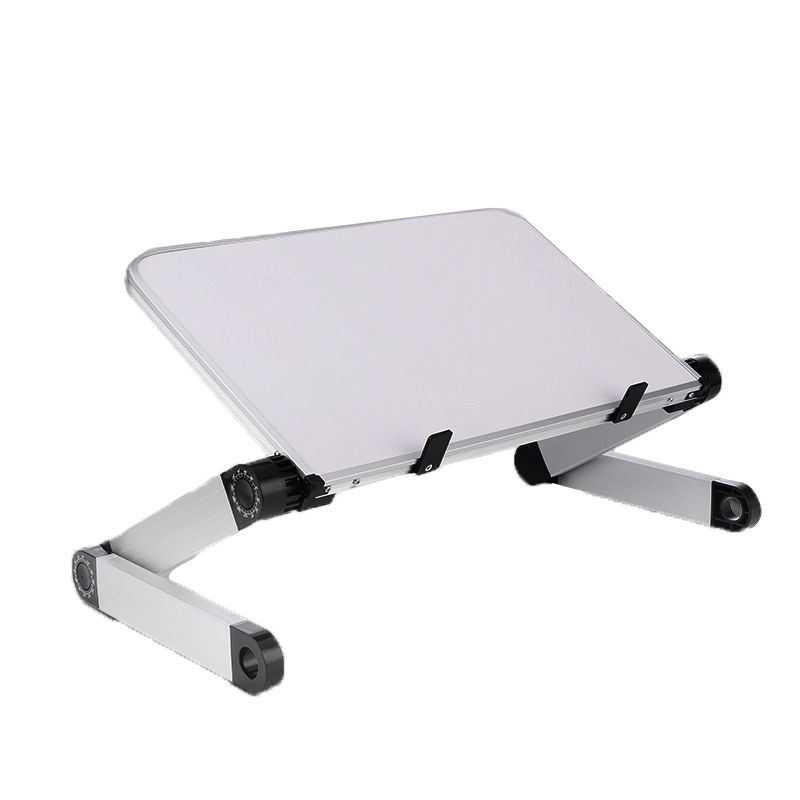
A laptop stand is the single highest-ROI desk purchase you can make under $50. Elevating your screen by 4–6 inches eliminates the neck-down posture that causes tension headaches and shoulder pain after long sessions.
This foldable stand supports up to 10kg and adjusts to 360 degrees of tilt — meaning you can dial it to the exact angle your setup needs. It works as a laptop riser, an iPad stand, or an elevated monitor position for a tablet-as-second-screen configuration. The aluminum and ABS construction keeps it light enough to toss in a bag, durable enough to stay on your desk for years.
Why it wins: Most laptop stands under $30 wobble or lock into one fixed position. This one doesn’t. For $27.99, the adjustability and build quality punch well above the price.
| Spec | Detail |
|---|---|
| Price | $27.99 |
| Tilt adjustment | 360° |
| Max weight capacity | 10 kg (22 lbs) |
| Materials | Aluminum alloy, ABS, MDF |
| Colors | Black, White |
| Best use | Laptop riser, iPad stand, tablet holder |
- 360° tilt for any angle
- Supports 10kg (tablets, laptops, monitors)
- Folds flat — portable and storable
- Works on bed/sofa too, not just desks
- $27.99 — genuinely cheap for this quality
- Not vented (no airflow for laptop cooling)
- Height is fixed — not height-adjustable like pricier stands
→ See Foldable Laptop Stand at thesupdesk.com ($27.99)
🌟 Most Underrated: GadgetKlip Cable Organizer (From $7.99)
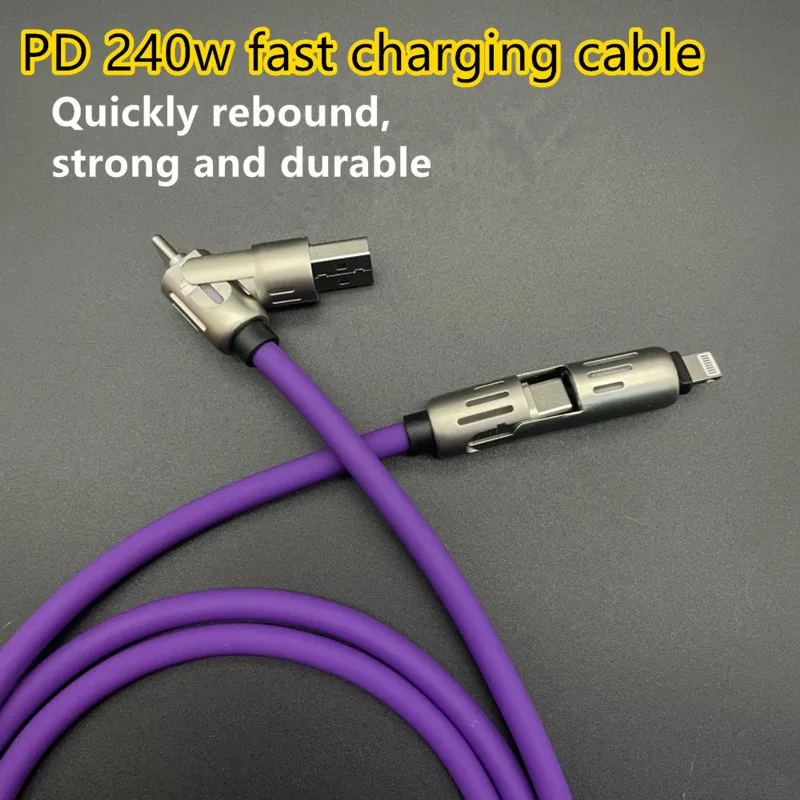
Cable clutter is the silent productivity killer. Every time you scan your desk and see a tangle of charging cables, monitor cords, and USB wires, your brain registers disorder — and disorder increases cognitive load. It’s a real effect, and it’s fixable for under $10.
GadgetKlip is a dead-simple cable organizer that clips to edges, surfaces, and channels without damaging or pinching your cables. Available in three sizes (Small, Medium, Large) and four colors, it handles everything from phone charger cables to monitor power cords. The 12-pack at $15.99 covers an entire desk without breaking a sweat.
Why it’s underrated: Everyone focuses on the big purchases — desk, chair, monitor. Nobody budgets for cable management until they’re deep into cable chaos. GadgetKlip fixes this for literally $7.99. It’s the highest-impact-per-dollar item on this entire list.
| Pack Size | Price | Best For |
|---|---|---|
| 6-Pack | $7.99 | Single cable run (one side of desk) |
| 12-Pack | $15.99 | Full desk cable cleanup |
| 18-Pack | $23.99 | Desk + behind monitor + under desk |
| 30-Pack | $37.99 | Full home office with multiple stations |
→ See GadgetKlip at thesupdesk.com (from $7.99)
Best Desk Lighting: Quntis ScreenLinear Pro Light ($39.99)
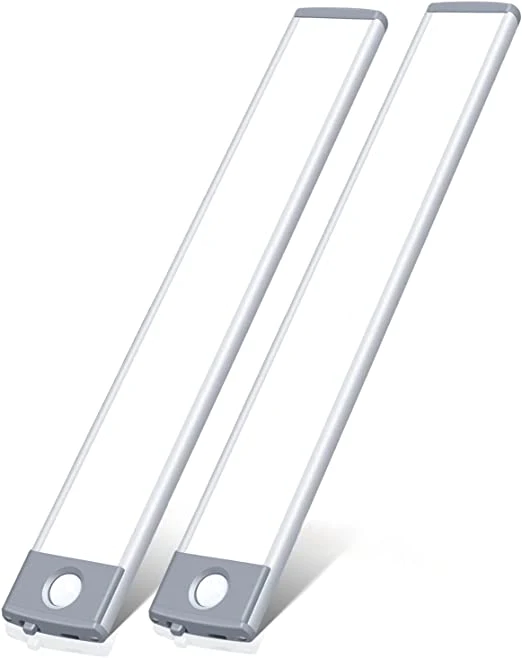
Bad desk lighting is the easiest thing to fix and the most consistently overlooked. Overhead room lighting creates glare on your monitor. No desk light means squinting. The Quntis ScreenLinear Pro sits on top of your monitor and aims light directly at your keyboard and desk surface — zero screen glare, full workspace illumination.
At 700 LUX maximum brightness with four color temperature settings (3000K warm to 6500K cool), it covers every situation: focused coding sessions need cooler light, evening calls look better at warmer temperatures. The auto-dimming feature detects ambient light and adjusts automatically. USB-C powered — plugs into your laptop, monitor, or any USB charger.
Eye protection matters: The ScreenLinear Pro carries IEC62471 and IEC62778 certifications for blue light and optical radiation reduction. If you’re doing 8+ hour desk sessions, this isn’t a luxury — it’s health maintenance.
| Spec | Detail |
|---|---|
| Price | $39.99 |
| Max brightness | 700 LUX |
| Color temperatures | 3000K / 4000K / 5000K / 6500K |
| Monitor compatibility | 15″–22″, thickness 0.6″–1.4″ |
| Power | USB-C |
| Controls | Touch-sensitive + auto-dimming |
- Zero monitor glare by design
- Auto-dimming based on ambient light
- 4 color temperature modes
- Memory function (remembers last setting)
- USB-C — works with any modern desk
- Eye protection certifications
- Only fits monitors 15″–22″
- Touch controls take a few days to become habit
→ See Quntis ScreenLinear Pro at thesupdesk.com ($39.99)
Best Value Under $10: 240W 4-in-1 USB-C Fast Charge Cable ($9.99)
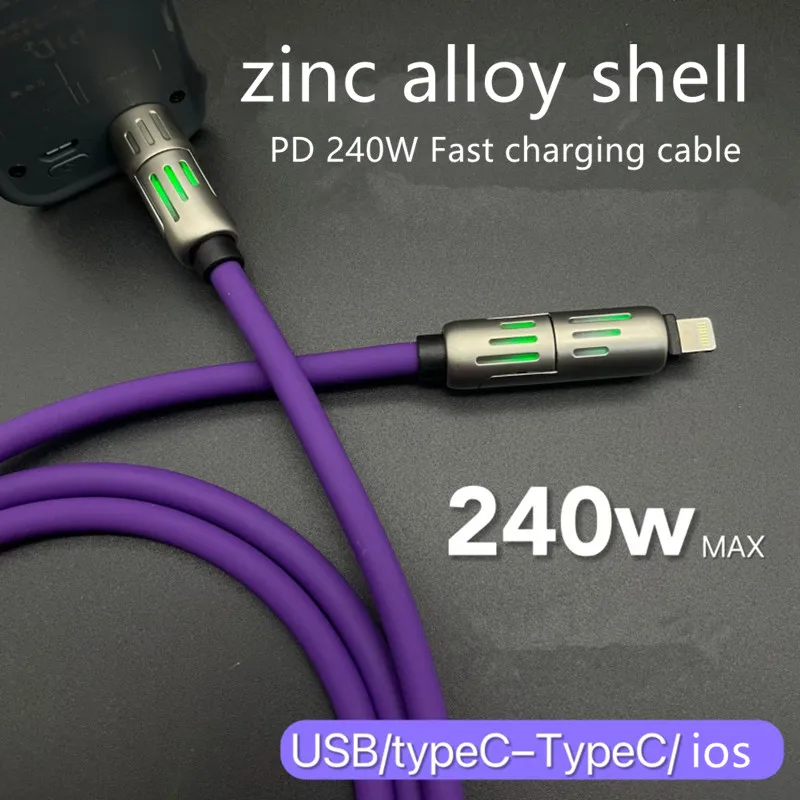
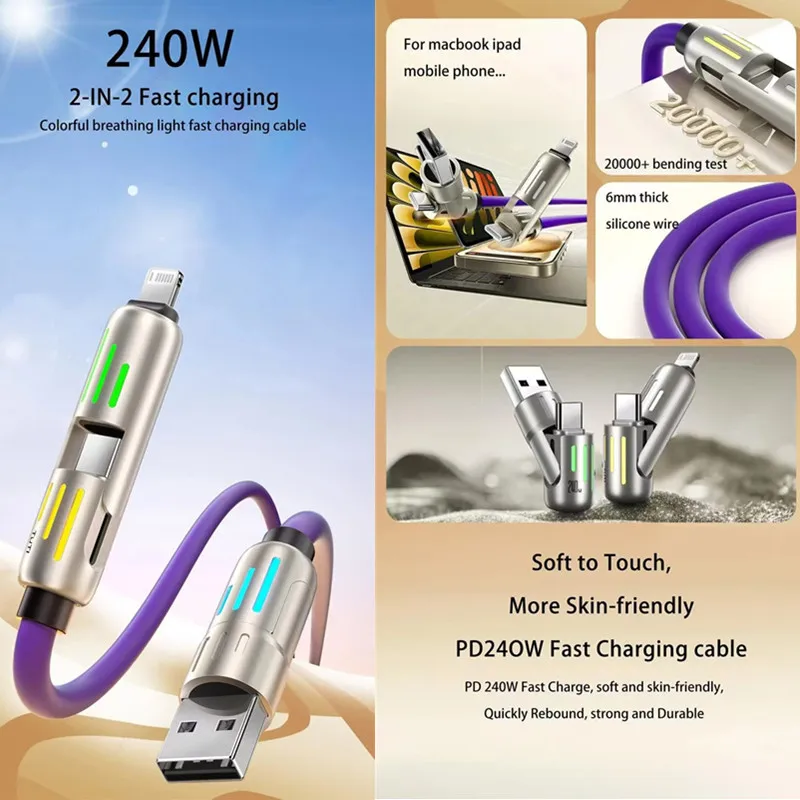
A single cable that charges your iPhone, Android phone, iPad, and laptop at 240W is something that should cost $30. It costs $9.99. That’s the pitch.
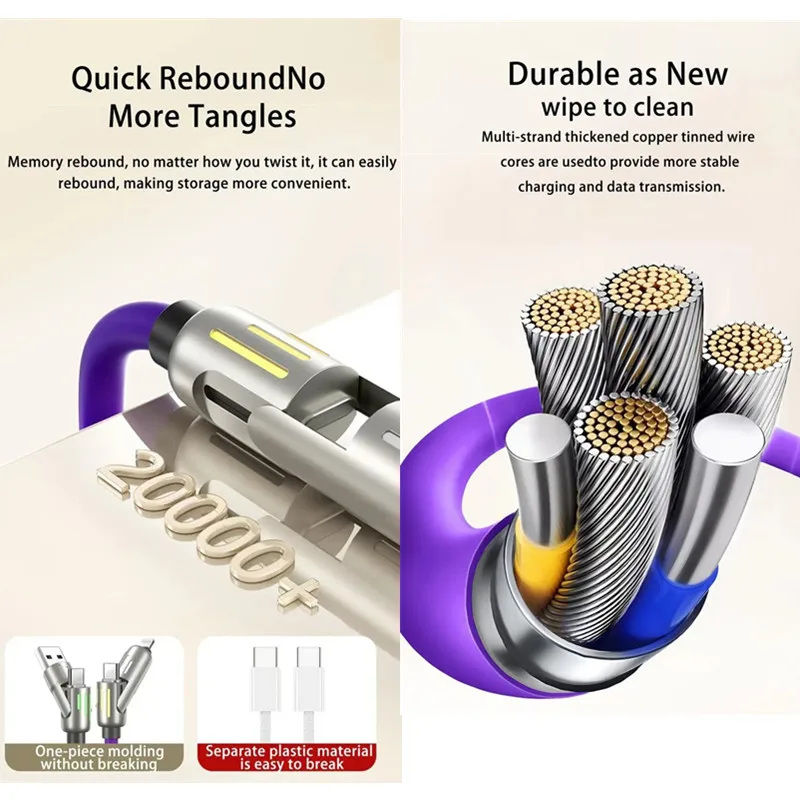
Four connectors in one cable: USB-C, Lightning, Micro USB, and USB-A. Rated up to 3A with a braided nylon exterior tested to 10,000+ bends. Includes a built-in LED charging indicator and overcurrent/short-circuit protection. At 1.2m (4 feet), it’s long enough for desk use without becoming another cable mess.
4.8/5 from 142 reviews with 167 orders. For a desk cable you’ll actually keep on your desk — not swap out — this is the one.
| Spec | Detail |
|---|---|
| Price | $9.99 |
| Connectors | USB-C, Lightning, Micro USB, USB-A |
| Max wattage | 240W |
| Current | Up to 3A |
| Length | 1.2m (4 feet) |
| Build | Braided nylon + aluminum alloy connectors |
| Data transfer | Up to 480 Mbps |
→ See 240W 4-in-1 Cable at thesupdesk.com ($9.99)
Best Premium Pick: Mello 20W GaN Fast Charger ($48)
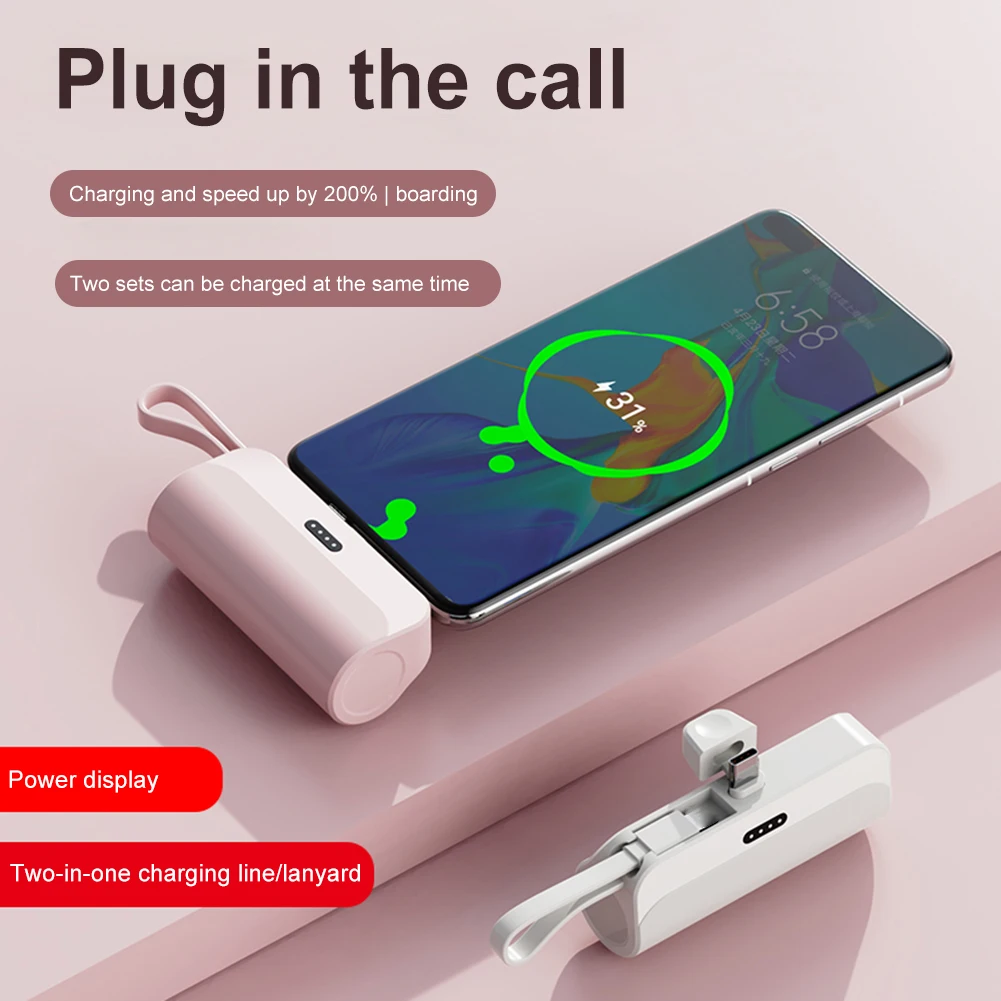
GaN (Gallium Nitride) technology lets you charge 3x faster than standard chargers in a form factor so small it attaches to your keychain. The Mello weighs 0.4 oz, measures under 2 inches, and delivers 20W USB-C output — enough to fast charge an iPhone to 50% in 30 minutes, or bring a tablet from dead to useful in an hour.
The premium here is the full-grain cowhide leather finish and the included keychain cable — making this a desk charger that doubles as your travel charger. Available in 5 colors, 4 outlet types (US, UK, EU, AU), and MFi certified for Apple devices. If your desk charger also needs to travel with you, the Mello justifies the $48 with what it replaces.
Bottom line: If you’re spending $48 once on something that replaces your desk charger, laptop bag charger, and travel charger — it’s actually a good deal. It’s just not the move if you only need a desk charger.
| Spec | Detail |
|---|---|
| Price | $48 |
| Output | 20W USB-C GaN |
| Size | 1.79″ × 1.30″ × 0.39″ |
| Weight | 0.4 oz |
| Compatibility | iOS, Android, tablets, notebooks |
| Data transfer | Up to 480 Mbps |
| Outlets | US / UK / EU / AU versions |
→ See Mello GaN Charger at thesupdesk.com ($48)
Buyer’s Guide: Where to Spend Your $50
You don’t need all five of these. Here’s how to think about it:
Start with ergonomics, then lighting
If your neck hurts or your eyes are strained by 3pm, fix those first. The laptop stand ($27.99) and the Quntis light ($39.99) address the two most common physical complaints from remote workers. Together they’re $67.98 — over budget, so pick the one that solves your bigger problem first.
Cable management is maintenance, not luxury
The GadgetKlip 12-pack at $15.99 is the smartest purchase on this list per dollar. Cable chaos is a constant friction tax on your focus. Fix it once, it stays fixed. If you haven’t done cable management on your desk, do it before buying anything else.
The 4-in-1 cable is a no-brainer add-on
At $9.99, add the 4-in-1 USB-C cable to any order. It’s the kind of thing you didn’t know you needed until you stop juggling three separate cables every time you sit down. Small friction, but real.
GaN charger only if you travel
The Mello at $48 is excellent but specialized. If you work exclusively at a fixed desk, a cheaper charger does the same job. If you’re laptop-bag-to-desk-to-coffee-shop, the Mello earns its keep.
Who These Are For
Your desk is your office. Every day. Start with the laptop stand and Quntis light — those two eliminate the most common complaints (neck pain, eye strain) from all-day desk sessions. Add GadgetKlip once the bigger problems are solved.
The Mello GaN charger is the best purchase here — it’s the only item that actively improves both your home setup and your office bag without being redundant. Plus the 4-in-1 cable for desk use.
Budget is tight but focus matters. The GadgetKlip 6-pack ($7.99) + 4-in-1 cable ($9.99) = $17.98 total. Clean cables, one charging solution. Maximum impact for minimum spend.
Building the Full Setup?
These accessories make more sense as part of a complete desk setup. If you’re starting from scratch or upgrading your workstation:
- The Ultimate Remote Work Desk Setup Guide 2026 — full breakdown from desk to chair to monitors
- Best Standing Desks Under $250 (2026) — if you’re ready to invest in the desk itself
- 5 Must-Have Remote Work Gadgets — broader gadget picks that go beyond the desk
Browse the full thesupdesk.com collection for more remote work accessories, desk gadgets, and productivity gear — all with free shipping.