

Buyer's Guides, Security Cameras
PoE Security Camera Buying Guide: Four Cameras Now, Eight Later
Oct
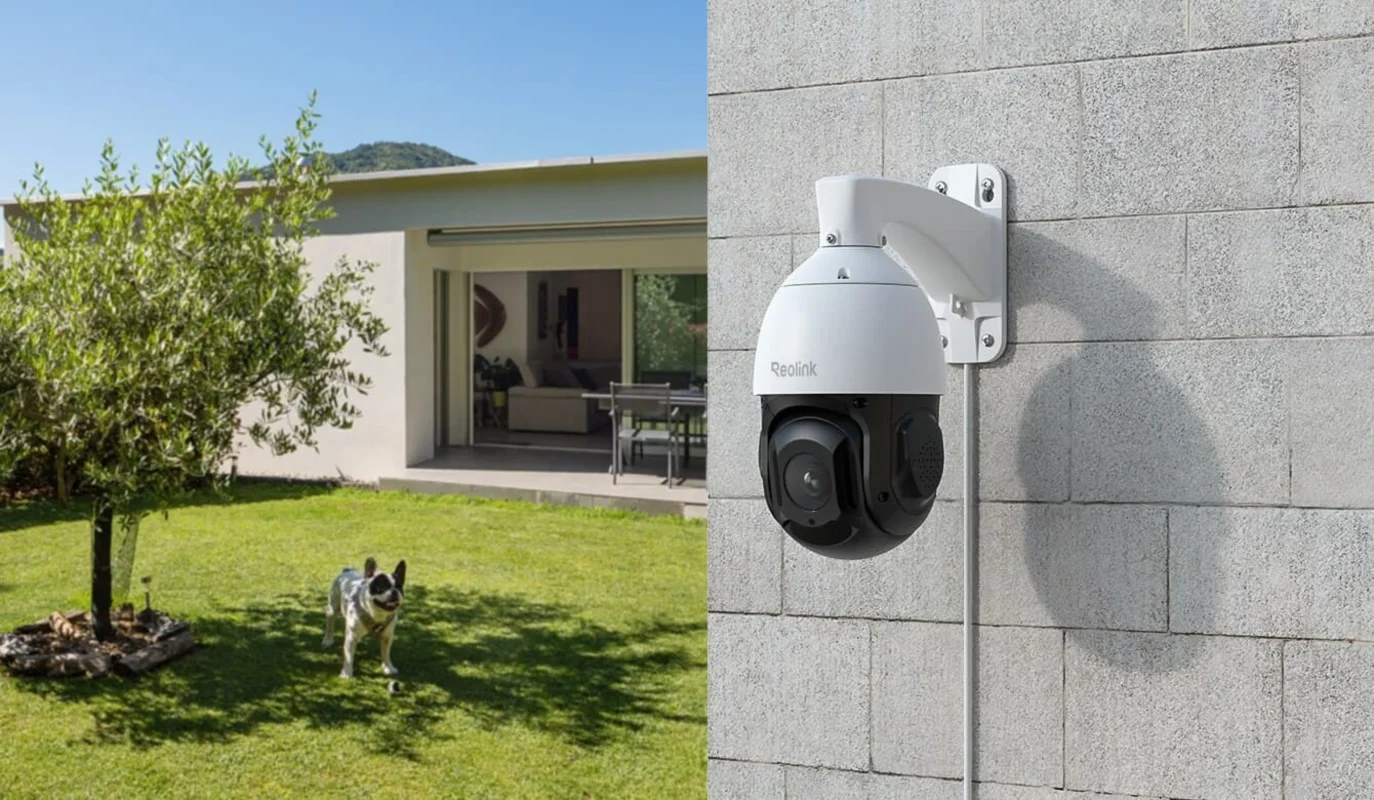
The Reolink RLC-823A 16X is a specialist PTZ option, not a complete four-camera kit. The current store price is $466.99; confirm recorder and power compatibility before ordering.
Quick answer: For four home security cameras now and eight later, plan the recorder, cable routes, power budget and storage before choosing individual cameras. Use fixed views for essential entrances. Add a pan-tilt-zoom camera where its optical zoom solves a specific distance problem, rather than expecting one moving lens to watch every direction simultaneously.
This guide explains a practical buying process for a homeowner who wants dependable local recording without replacing the entire installation when it grows. The SUP Desk is a retailer, and our product links are commercial links to our own store. We have not field-tested this camera on your property.
Start with an evidence plan, not a megapixel target
Walk around the property and list the events you actually need to document. A broad driveway overview, a recognizable face at the door, a package being placed beside a step and a vehicle entering a distant gate are different jobs. One wide image may establish that someone visited without showing enough detail to identify them. A close entrance view can provide that detail but miss activity elsewhere.
Sketch four initial positions and reserve cable routes for later additions. A sensible arrangement might cover the front door, driveway, rear entrance and side passage. Check what each view loses when a car parks, a gate opens or foliage grows. Keep important subjects away from the edge of the image, where perspective and lens distortion can make identification harder.
Choose an eight-channel recorder before buying four cameras
An NVR is a network video recorder. Its channel count is the maximum number of camera streams it supports, not necessarily the number of Ethernet sockets on its back. A four-camera bundle can include either an expandable recorder or one that stops at four channels. Confirm the exact recorder model, supported camera list, hardware revision and firmware rather than relying on the bundle’s name.
Also check the recorder’s incoming bandwidth limit, supported resolution and codec, simultaneous playback capability and drive capacity. Eight connected cameras do not guarantee eight full-resolution streams at your preferred frame rate. A recorder that accepts an image may still lack a particular camera’s smart alerts, two-way audio or tracking controls. Get written confirmation for the features you intend to use.
Fixed camera versus PTZ: buy for the position
| Choice | Best use | Main trade-off |
|---|---|---|
| Fixed wide-angle camera | Continuous overview of a nearby area | Distant faces occupy fewer pixels |
| Fixed narrow-angle camera | Door, gate or other predictable choke point | Less surrounding context |
| Optical-zoom PTZ | Actively examining a larger or more distant area | Coverage changes when it turns or zooms |
| Battery wireless camera | A location without practical cabling | Recording mode, recharge needs and network reliability vary |
For example, keep a fixed camera on the front door even if a PTZ surveys the driveway. If tracking follows a person toward the street, the fixed camera can still record a second person approaching the house. That overlapping coverage is more valuable than buying a large zoom number for every position.
Understand what 16X optical zoom can and cannot do
Optical zoom changes the lens’s field of view before the image reaches the sensor. Digital zoom enlarges existing pixels. Optical zoom can improve the detail available from a distant subject, but the useful result still depends on light, focus, motion, atmospheric conditions and mounting stability. It cannot recover a face that was never facing the camera.
The store identifies its listing as RLC-823A 16X and advertises 4K recording and 16X optical zoom. Do not interpret those labels as a guaranteed license-plate capture distance. Reflective plates, headlights and fast motion create a separate imaging challenge. If dependable plate evidence is essential, ask for a model-specific demonstration under matching night conditions or consult a specialist.
PoE standards and the power budget
Power over Ethernet carries data and electrical power through compatible Ethernet equipment. The camera, switch or injector and recorder arrangement must support the required standard and power. A socket that looks correct is not proof of electrical compatibility. PTZ motors and infrared lighting can increase demand, so use the exact model’s required power specification rather than a generic fixed-camera estimate.
Check both per-port capability and total switch budget. As an illustrative calculation, eight cameras drawing 10 watts each would require 80 watts before allowing reserve. A switch with eight ports but only a 60-watt total budget would be inadequate for that assumed load. Replace those example values with the cameras’ maximum documented consumption, including nighttime operation and movement.
Plan cable routes before drilling
Measure actual routes rather than straight-line distances. Include vertical drops, service loops, corners and a protected entry into the building. Standard copper Ethernet channels are generally limited to 100 meters, including patch leads; longer runs require a deliberately designed alternative. Use suitable cable for the environment and equipment. Avoid copper-clad aluminum substitutes where compliant copper cabling is required.
Outdoor connectors need protection even when a camera housing has an outdoor rating. Use the manufacturer’s seals, appropriate junction boxes and drip loops. Keep cable away from sharp edges and heat. Building penetrations, exterior lightning exposure and runs between buildings may require professional installation, surge protection or fiber links. Do not treat a weatherproof camera as a weatherproof exposed plug.
Calculate recording storage with a useful example
Storage depends on average bitrate, not resolution alone. To estimate continuous recording, multiply megabits per second by seconds, divide by eight to convert bits to bytes, then multiply by camera count. At an assumed 4 megabits per second, one camera generates about 43.2 decimal gigabytes daily. Four produce approximately 172.8 gigabytes; seven days is about 1.21 terabytes before overhead and reserve.
Eight cameras at that same assumed bitrate roughly double the requirement. Real variable-bitrate recordings change with motion, image noise, codec and settings. Check the recorder’s supported drive type and maximum capacity. Leave room for formatting overhead and operating margin. Event-only recording saves space, but it can miss activity when detection settings are wrong or a subject enters outside the detection zone.
Make nighttime movement part of the buying test
A clear still image at night does not prove a walking person’s face will remain clear. Slow shutter settings can brighten a static scene while blurring movement. Infrared reflections from nearby walls, soffits, spiderwebs or glass can overwhelm the image. Test a person walking through the actual identification area, wearing both light and dark clothing.
The store’s Reolink title includes color-night-vision language, but this article does not promise full-color images in complete darkness. Verify the exact variant’s illumination hardware and supported modes against its current manual. Avoid assuming that every camera sharing a model family has spotlights, identical optics or the same storage and cloud support. Hardware details matter more than a broad marketing title.
Local recording versus remote access
A correctly configured local recorder can continue saving video during an internet outage if the cameras, local network and recorder retain power. Remote viewing from outside the house normally depends on an internet connection. A backup battery for the NVR alone is not enough if the PoE switch or router loses power. Identify every component needed for the operation you want to preserve.
For security, change initial passwords, use unique credentials and enable available account protections. Keep firmware updated through the manufacturer’s supported process. Avoid exposing recorder ports directly to the internet without understanding the risk. Give family members appropriate access rather than sharing the administrator account, and remove old users when access is no longer needed.
Three realistic installation budgets
Small home: Prioritize fixed cameras at doors and the driveway, a compatible eight-channel recorder, adequate storage and quality cable. Spend on placement and reliable recording before adding a motorized zoom camera. Good coverage near an entrance is often more useful than trying to identify people from the far side of the yard.
Long driveway: Use a fixed overview plus a camera positioned nearer the gate if cabling and power permit. A PTZ may help inspect distant activity, but it should supplement essential fixed views. Confirm that zoomed images remain useful when a vehicle is moving and that branches do not block the line of sight.
Future workshop: Reserve recording channels and network capacity now. Decide whether the separate building needs a dedicated link and surge strategy. Include installation labor, mounting hardware, hard drive, switch, backup power and replacement costs in the budget. A single-camera product price is not the cost of a finished security system.
Commission the system on a table first
Before mounting, connect every camera using the intended recorder and power source. Update supported firmware, name the channels and record a short clip. Check timestamps and time zone, playback, audio where lawful, notification delivery and video export. Confirm that exported files open on another device, because footage that only plays inside an app can be awkward to share when needed.
After installation, repeat those checks during daylight and darkness. Walk through each detection area and verify which channel records the event. Temporarily disconnect the internet to distinguish local recording from remote viewing. Test recovery after a normal power cycle. Document settings and account ownership so the system remains manageable when a phone or router is replaced.
Frequently asked questions
Will any PoE camera work with any NVR?
No. Basic video compatibility, smart detection, audio, PTZ control and firmware support are separate questions. Even when an industry protocol is supported, individual functions may differ. Check both manufacturers’ compatibility information for the exact hardware, and test the combination before installing permanent cable runs or purchasing multiple identical units.
Can one PTZ replace four fixed cameras?
Usually not when simultaneous coverage is the goal. A PTZ watches its current direction and zoom setting. Tracking can move it away from another event. Use fixed cameras for important continuous views, then evaluate whether a PTZ adds useful detail. A preset patrol provides sequential coverage rather than a permanent view of every preset location.
Do I need internet for a PoE camera?
Not necessarily for recording to a compatible local NVR or supported local storage. Initial setup, notifications, remote access and particular account functions may need internet. Verify the exact product’s behavior. An internet outage and a power outage are different failures, and a backup plan should test both rather than assuming one test covers everything.
Is 4K always better than a lower resolution?
No. Lens choice, sensor performance, light, exposure settings, compression and subject distance all influence useful detail. More pixels can help, but they also increase bandwidth and storage needs. Compare moving subjects in relevant lighting. A well-positioned camera with an appropriate lens can be more useful than a higher-resolution camera placed too far away.
How much should I spend on the Reolink option?
The current store listing is $466.99 for the camera, not the recorder, hard drive or complete installation. Check the live page for price and package contents before paying. Compare the total installed cost with fixed-camera alternatives, and make the purchase only if the exact camera’s power and recorder requirements fit your plan.
Choose the coverage, then choose the camera
Buy an expandable recording foundation, protect critical entrances with fixed views and use zoom selectively. If your plan includes a location that benefits from a dedicated optical-zoom PTZ, review the Reolink RLC-823A 16X listing and current price. Confirm model-specific illumination, power and recorder support before ordering. For outage planning, read our backup-power sizing guide and account for the recorder and network equipment separately.
Sources and verification notes
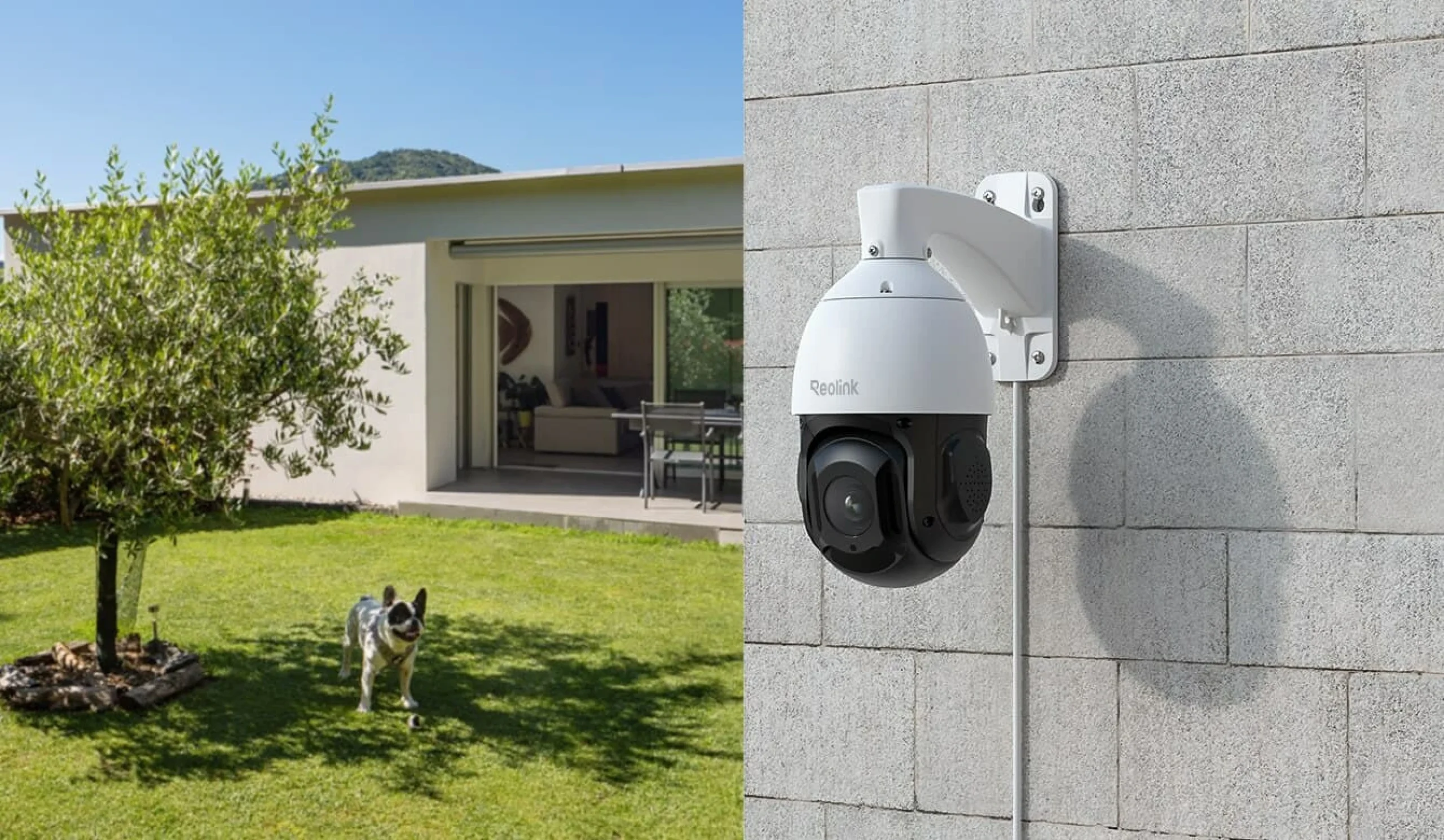
Use Reolink Support for the exact camera and NVR manuals, supported power equipment and firmware compatibility. Consult the ONVIF conformant product database for documented protocol conformance rather than assuming all functions interoperate. Product price and the photograph above were checked against The SUP Desk’s WooCommerce record on October 30, 2026. Unconfirmed listing claims are not presented here as tested performance.