

Drones
Fly a Drone From Your Couch — Free Browser Flight Simulator (Then Buy a Real One)
Apr
Practice in your browser.
Then choose a real drone.
Try a free FPV simulator or see the E88 at The SUP Desk.

What Is a Free Online Drone Flight Simulator?
A browser-based drone flight simulator lets you practice quadcopter controls without risking a physical drone. fpv0 is a free FPV simulator with phone controls and keyboard or USB controller support. Use landscape orientation on a phone. FPV practice feels different from flying a camera drone with automatic hover assistance.
This matters because most new drone pilots crash their first real drone. At $79–$249, that’s an expensive mistake. A simulator eliminates that risk.
How to Try the Free Drone Simulator in 5 Steps
- Open fpv0.com and choose a map.
- On a phone, turn the screen sideways and use the on-screen sticks.
- On a keyboard, use W/S for throttle, A/D for yaw, and the arrow keys for pitch and roll.
- Start with small inputs. Practice controlled takeoffs, turns and landings.
- Use reset after a crash and repeat. Simulator progress does not replace real-drone instructions or safe outdoor practice.
Looking for the original reference? World Flight Sim focuses on airplanes, not the drone controls described here.
No credit card, no download. Five minutes here teaches you more than reading 20 articles about flying.
Why Professionals Use Simulators
Simulator practice can help drone pilots develop control skills before flying real hardware. Crashing in a simulator costs nothing. Crashing a real drone costs $20–$80 in parts or the whole drone.
Simulator practice trains: stick sensitivity, wind compensation, altitude management, and orientation awareness. These are exactly the skills that prevent first-flight crashes.
What You’ll Learn in 30 Minutes of Practice
In 30 focused minutes on a simulator you’ll learn how to hover stably, fly in a straight line, make left/right turns while holding altitude, feel how wind affects the drone, and understand the difference between aggressive and smooth stick inputs. Most beginners plateau quickly with real drones because they’re too nervous to push the aircraft. In a simulator you crash freely and try again instantly.
Real Drones from The SUP Desk
These photographs, product names and prices match the linked store listings checked on October 31, 2026. Open each listing for current options, specifications and availability.
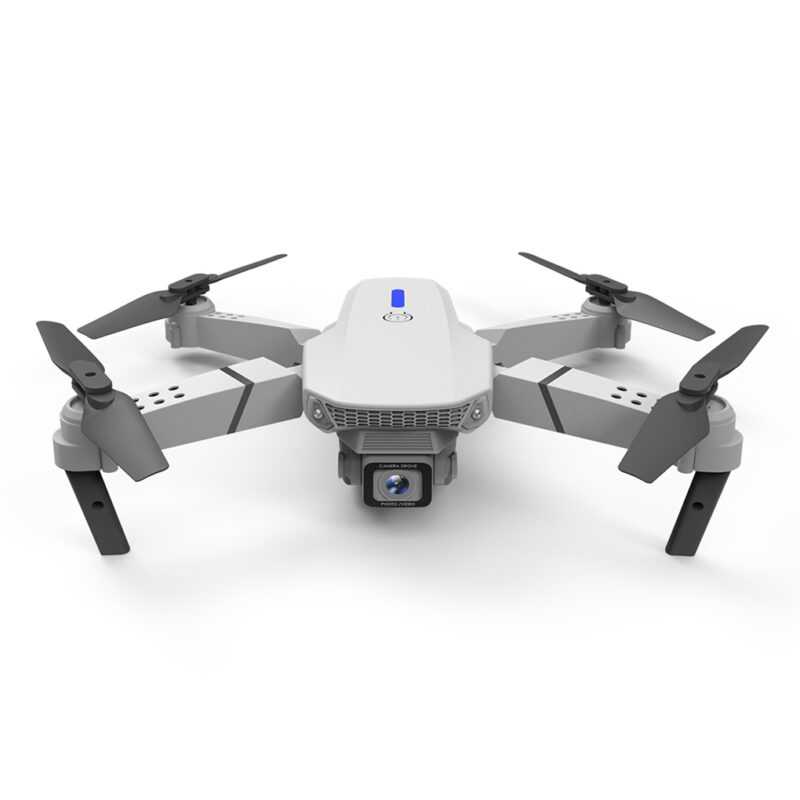
E88 WiFi Collapsible Drone
$79.99 · Foldable camera drone. Check the listing for the supplied battery and selected configuration.
See E88 photos & details
Ninja Dragon J10X PRO
$99.99 · Wide-angle dual-camera drone. Review the product page before choosing your model.
See J10X PRO photos & detailsAnother option above $200: the Ninja Dragon Glider S GPS Optical Flow drone — $229.00. This is a Ninja Dragon model; it is not a DJI Mini.
From Simulator to Reality: The Progression
- Simulator practice (30–60 min) — Learn controls, practice hovering, crash freely
- First real flights in open space — Park or field, fly at 6–10 feet, practice the same moves
- Altitude and distance practice — Gain confidence at higher altitudes and longer distances
- Creative flying — Orbits, tracking shots, smooth cinematic movements
- Upgrade — Step up to a DJI Mini 3 Pro once you’ve mastered your beginner drone
Most people skip step 1. That’s why most people crash their first drone. Don’t skip step 1.
Drone Bundles and Starter Kits
If you’re buying your first drone, a bundle is the smart move. Extra batteries and spare propellers are essential — buy them upfront and save on shipping. Check the Ninja Dragon J10X PRO listing for exactly which batteries, propellers and accessories are included before ordering.
Ready to Start Flying?
Start with the free fpv0 drone simulator. When you want to compare real hardware, view the Ninja Dragon J10X PRO or see the E88 drone. Practice outdoors only after checking the aircraft instructions and applicable flying rules.